
Description
🔔 YALLA READY
Digital Restaurant Pager System | QR Code Pager Alternative for Restaurants, Cafés & Food Trucks
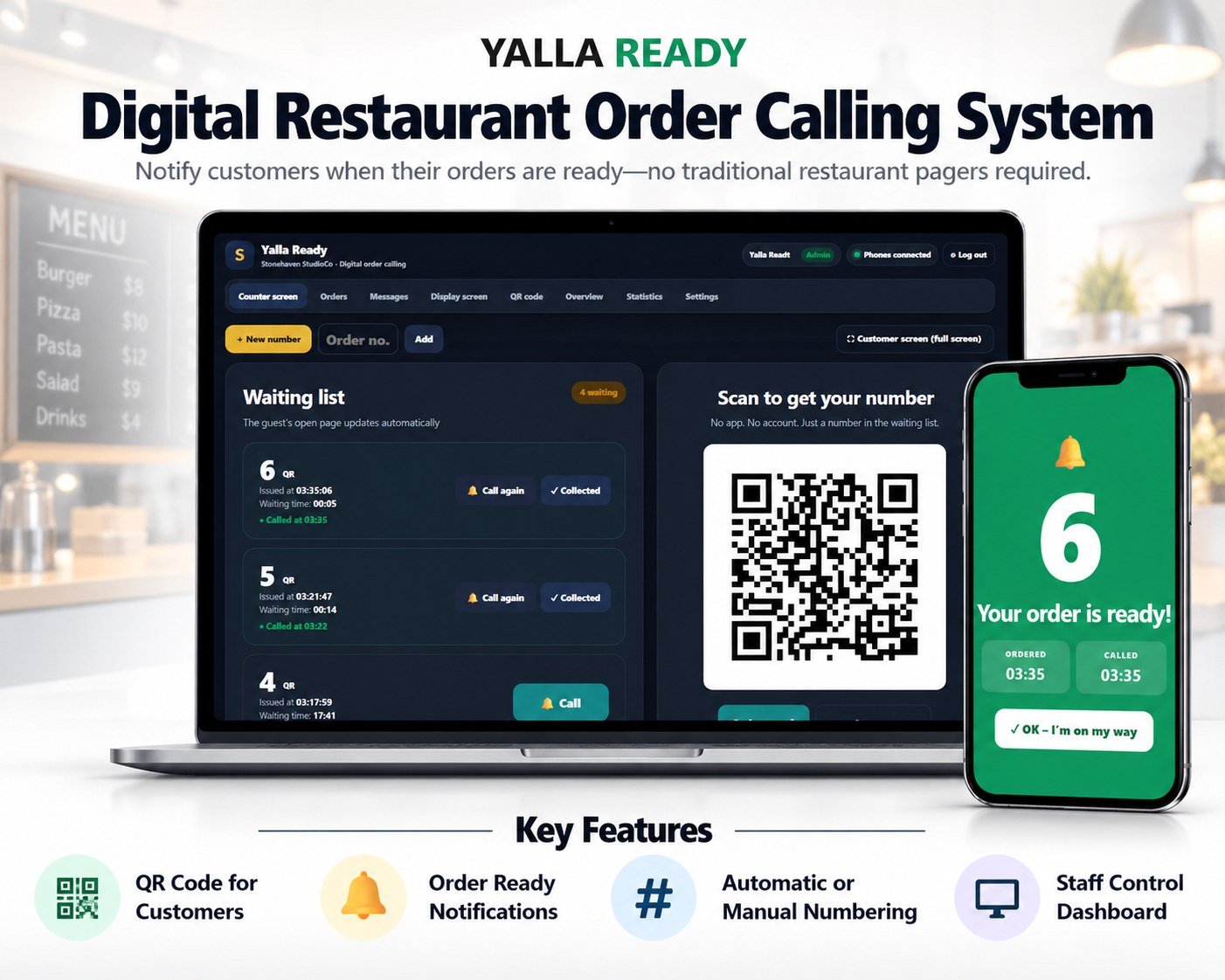
Yalla Ready is a restaurant pager system that runs on your guests’ own phones. Instead of buying, charging and replacing buzzers, you print one QR code. Guests scan it, get their order number, and their phone rings and vibrates when the food is ready. This restaurant pager system works for restaurants, cafés, food trucks, bakeries, juice bars and food courts.
⭐ 8 BUILT-IN SECTIONS | 5 LANGUAGES | WORKS ON ANY DEVICE | ONE-TIME PURCHASE | NO MONTHLY SUBSCRIPTION
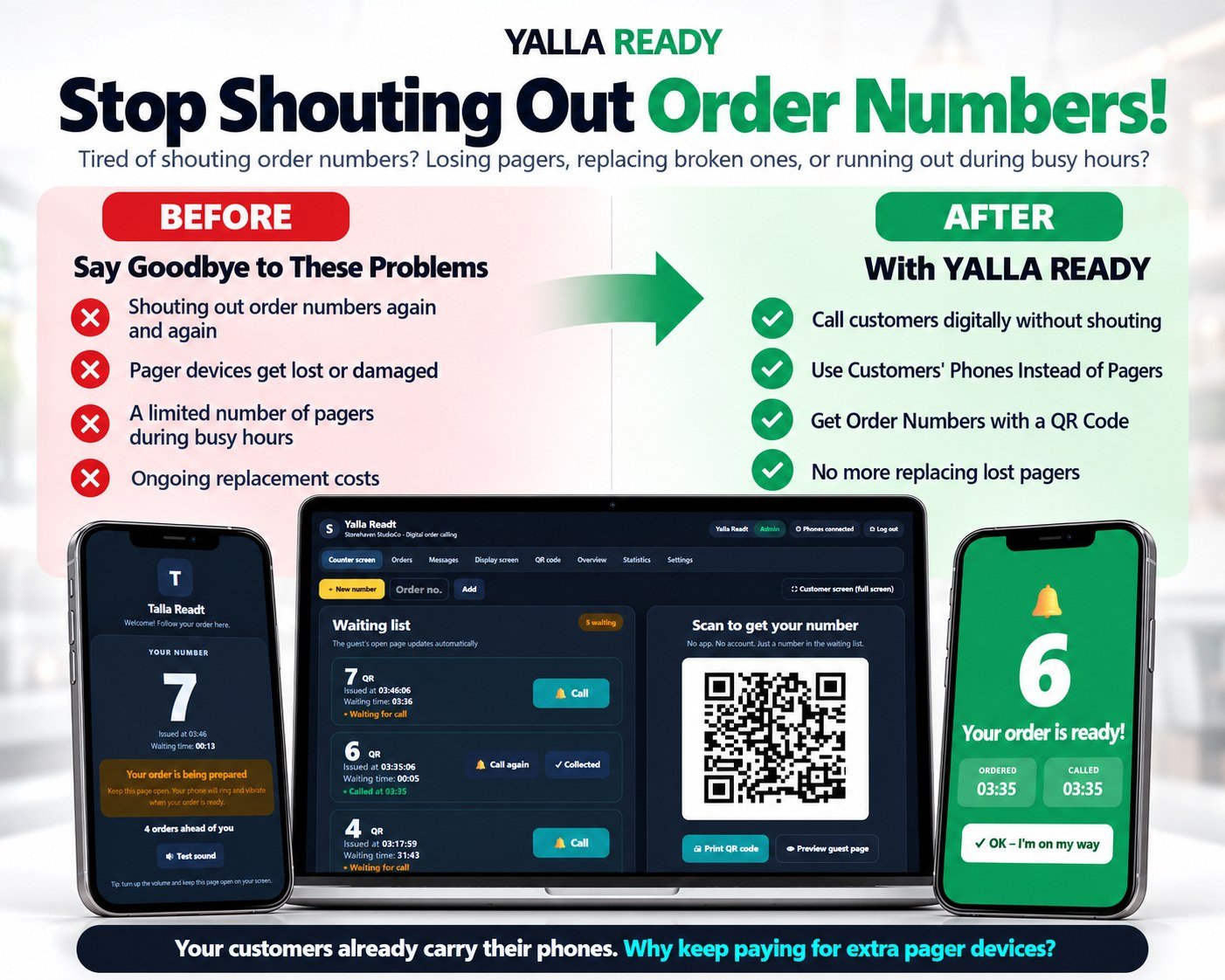
Still shouting out order numbers? Losing pagers, replacing broken ones, or running out of them during busy hours?
Yalla Ready turns your guests’ own phones into order pagers. Guests scan your QR code, their number appears instantly on their phone and on your counter screen, and when the order is ready their phone rings, vibrates and shows that the order is ready. No app to download, no account for guests, and no pager devices to buy.
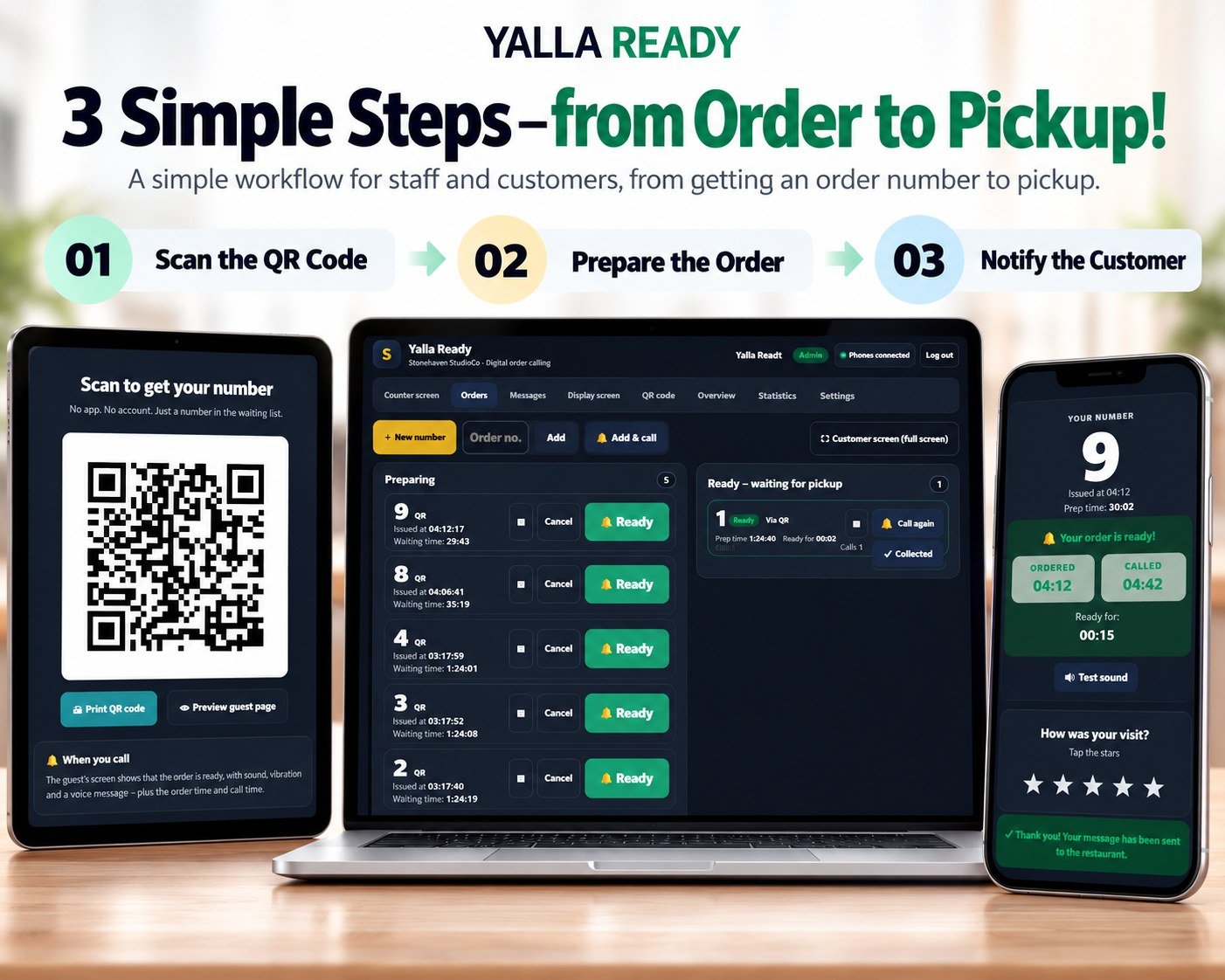
How it works – 3 simple steps
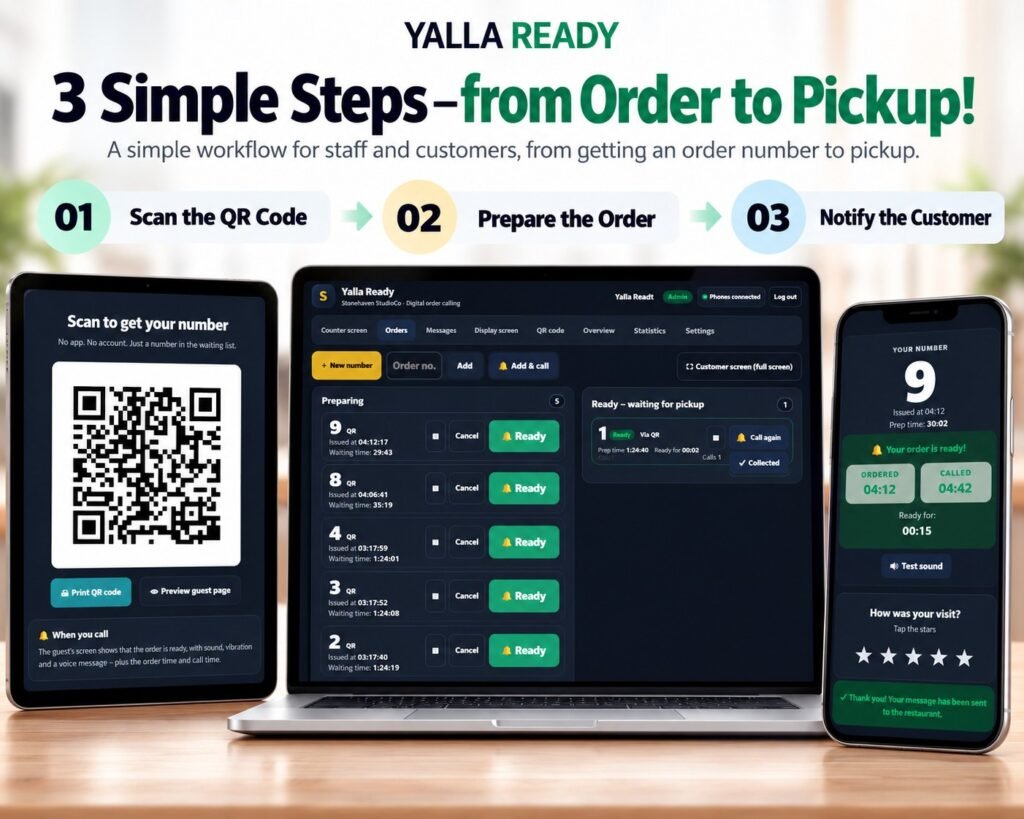
- Scan the QR code – the guest gets the next number instantly. Every new scan gives a new number.
- Prepare the order – staff see every order with its issue time and waiting time.
- Notify the guest – press Call and the guest’s phone rings, vibrates and shows the order time and call time.
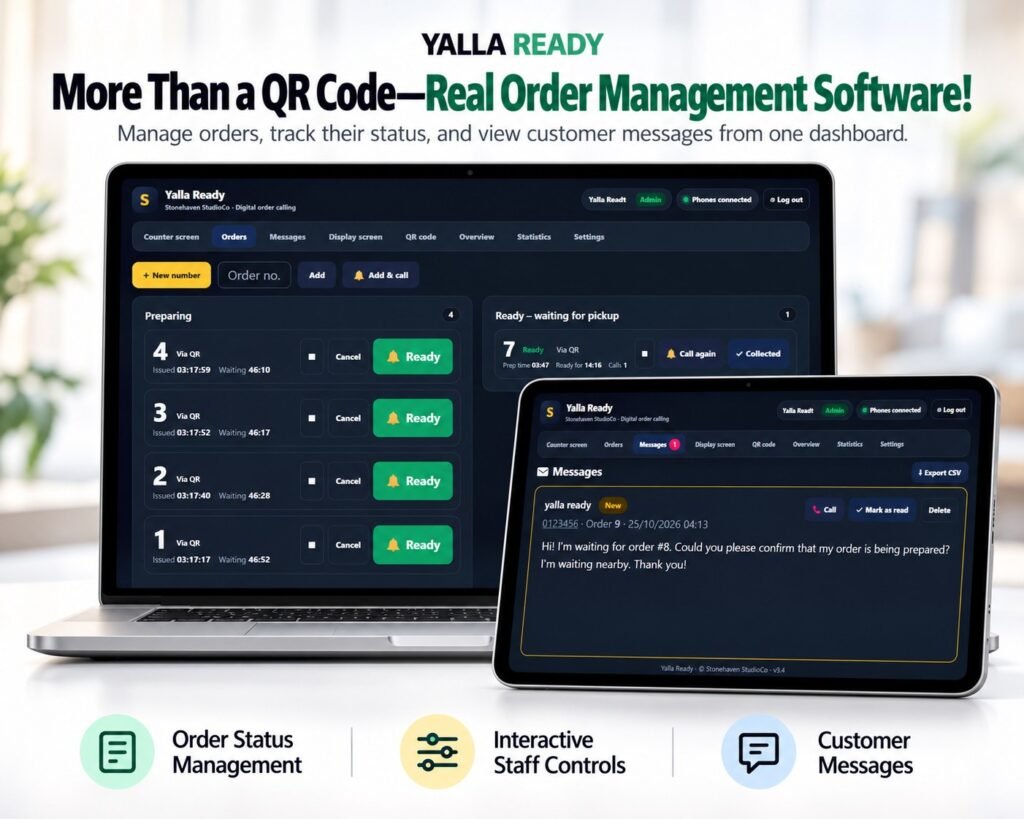
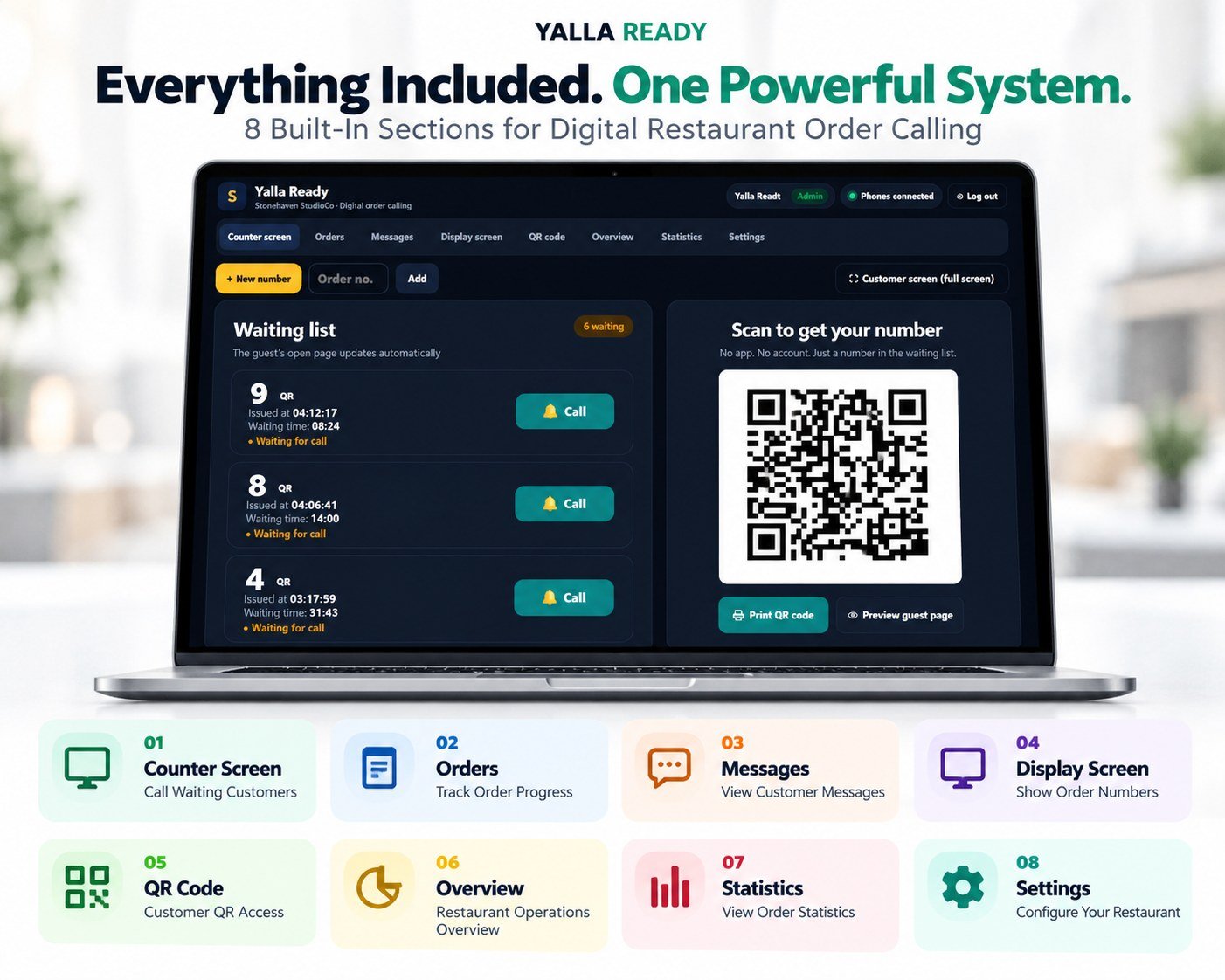
Everything included – 8 sections
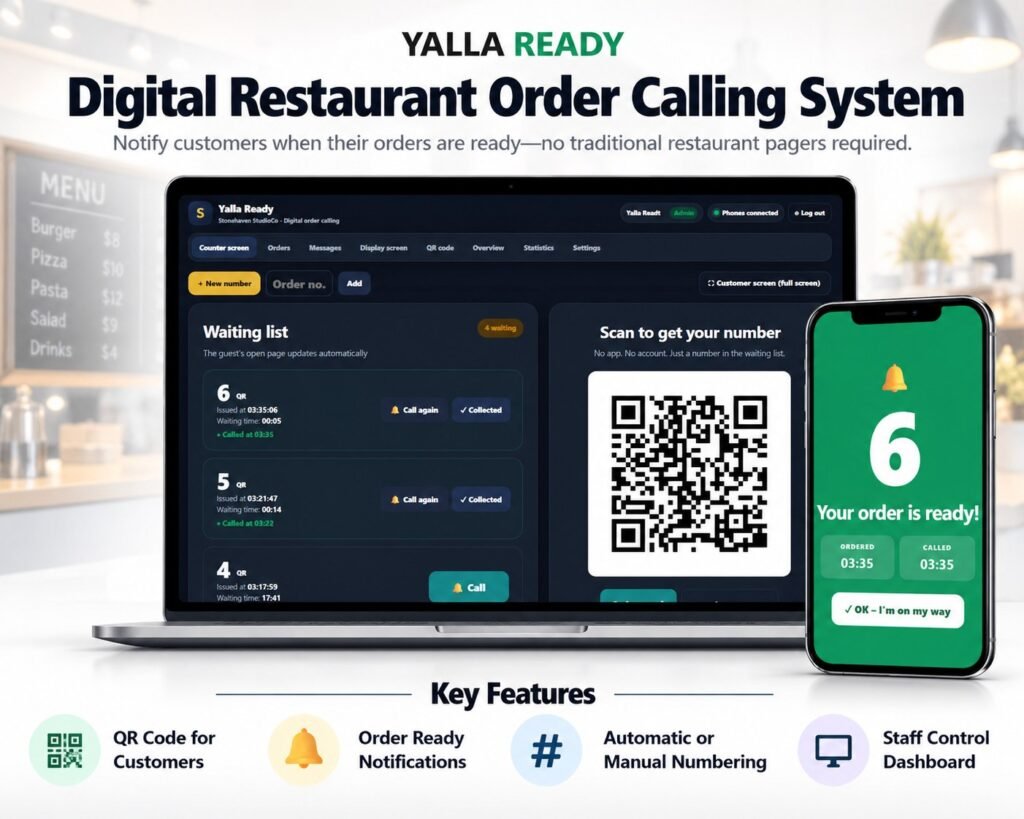
- Counter screen – waiting list with a big Call button for each number and your QR code beside it. A full-screen customer mode hides all staff buttons for a guest-facing laptop or iPad.
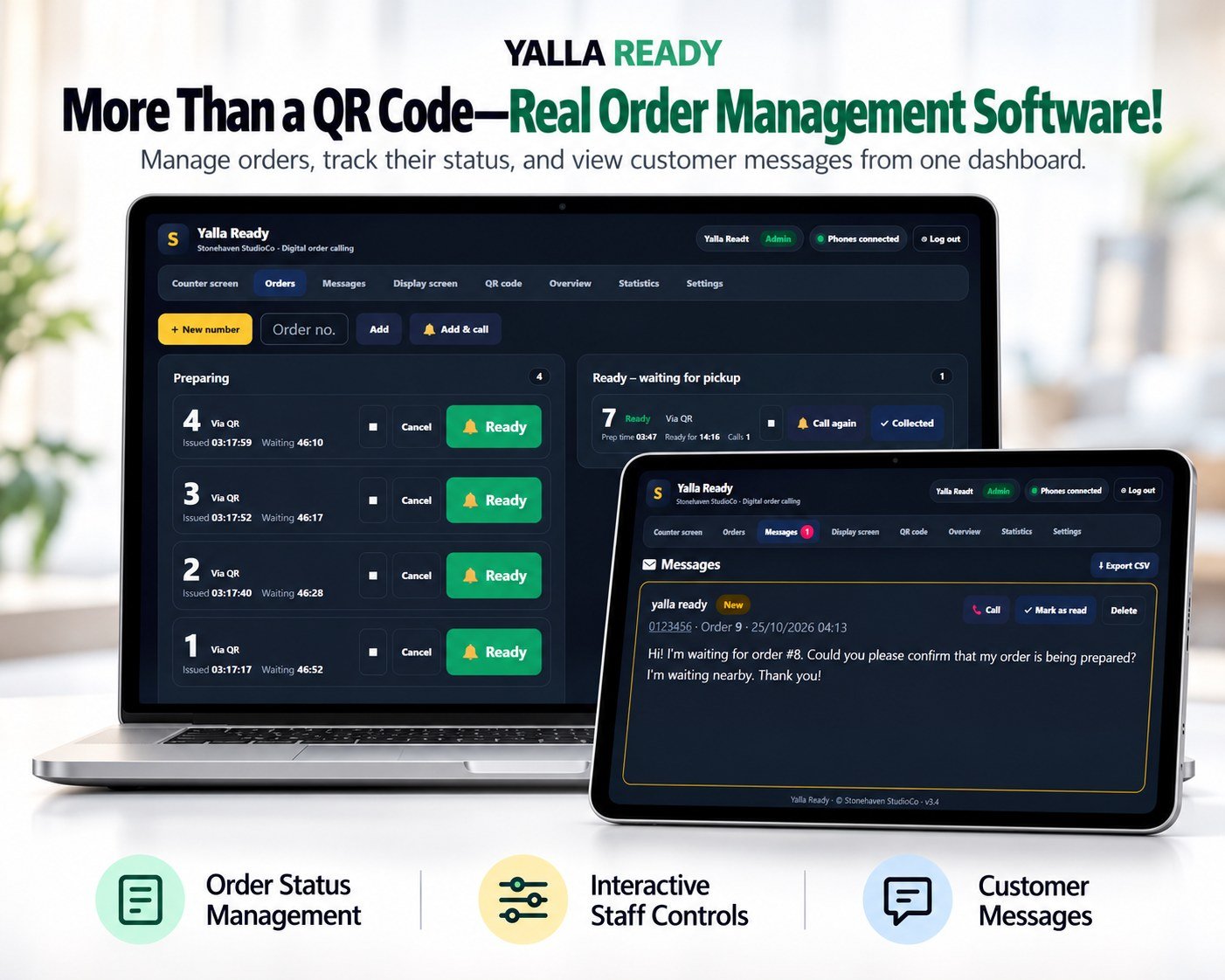
- Orders – Preparing and Ready lists with Ready, Call again, Collected and Cancel buttons.
- Messages – guests can send your restaurant a message (name, phone and comment) from their number page. Messages are encrypted so only your restaurant can read them.
- Display screen – show Preparing and Ready numbers on a TV or second monitor.
- QR code – print the poster or add it to receipts.
- Overview – today’s activity at a glance.
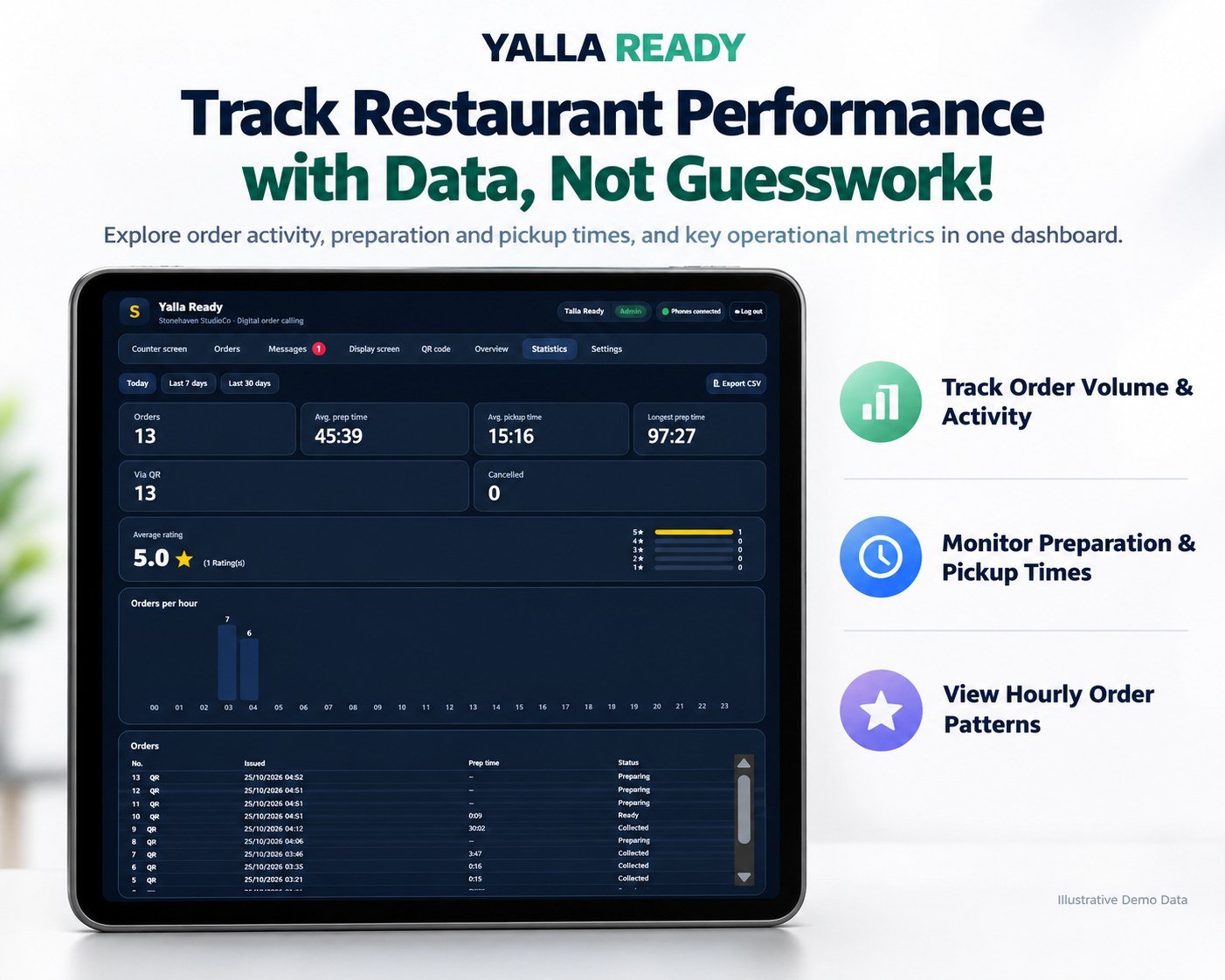
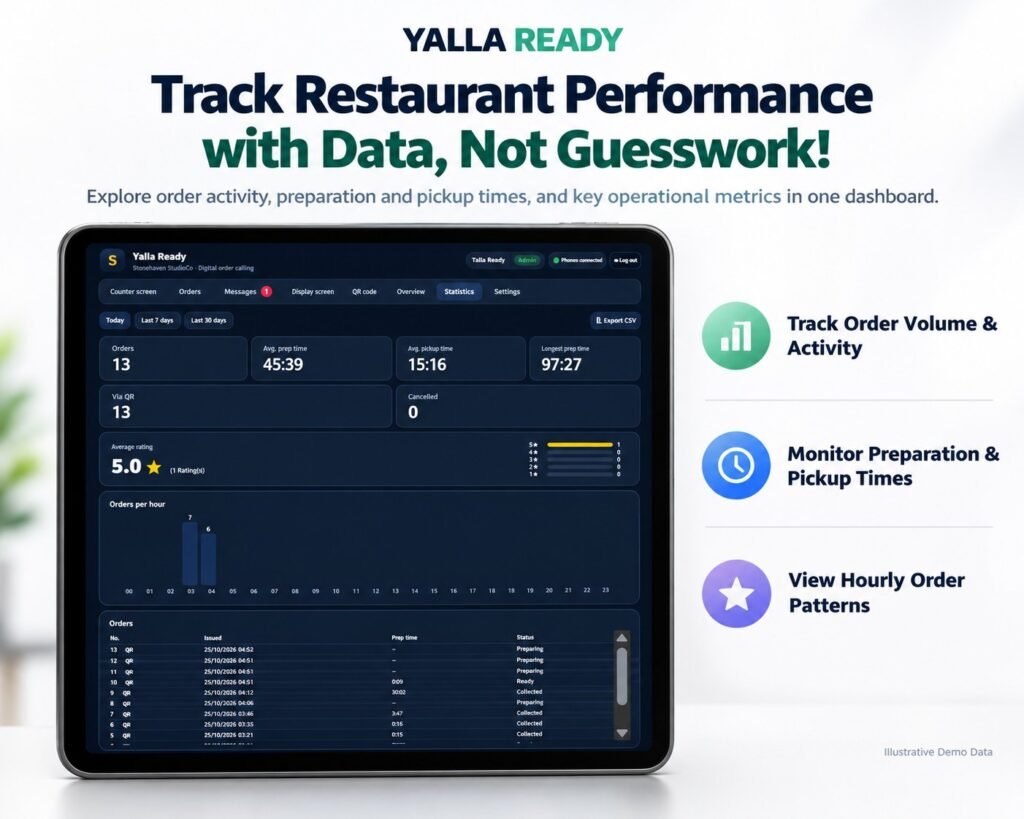
- Statistics – orders per hour, average preparation and pickup times, longest wait, ratings, and speed per section or staff member. Export to CSV.
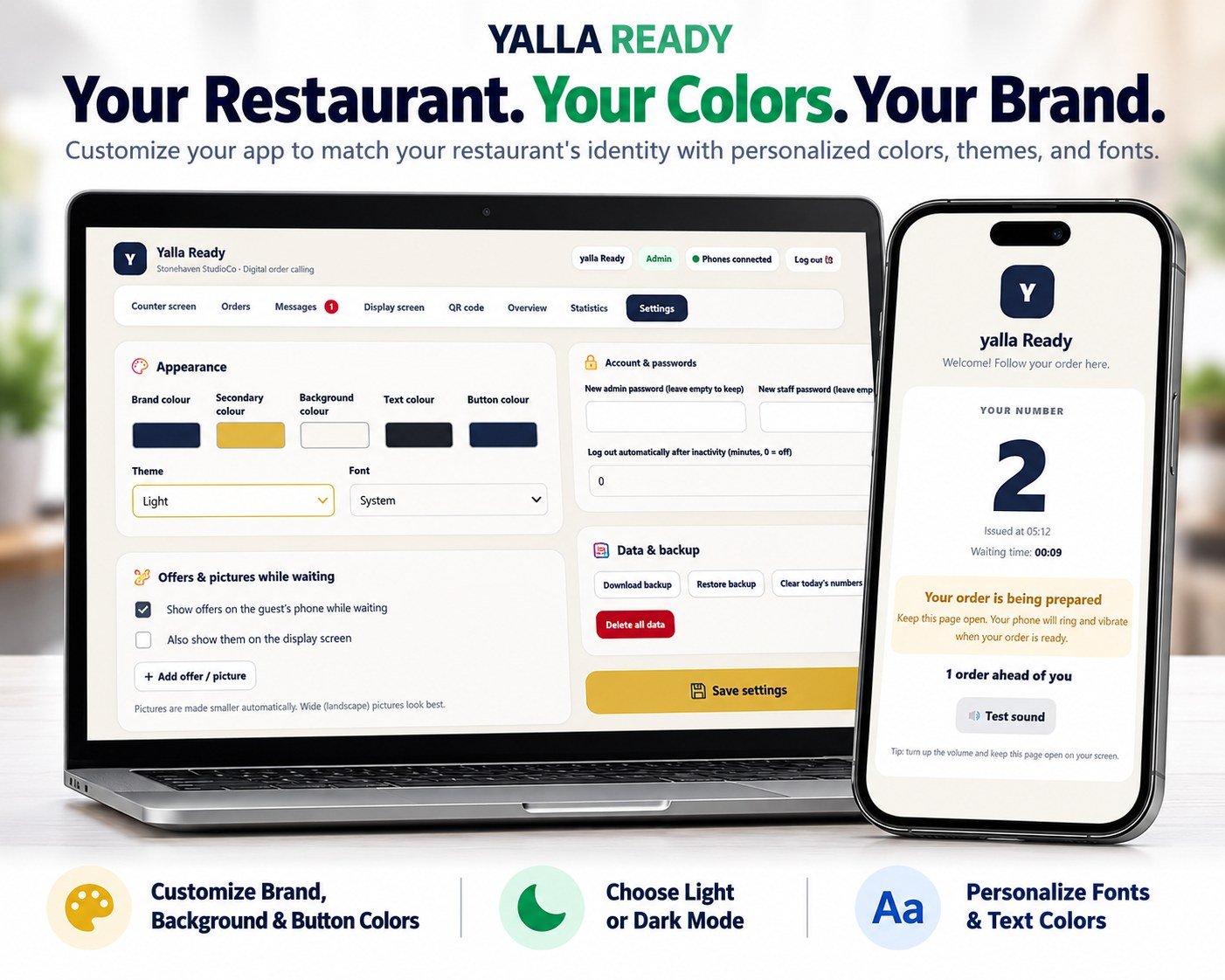
- Settings – your logo, colours, light or dark theme, fonts, languages, numbering, sounds and backups.
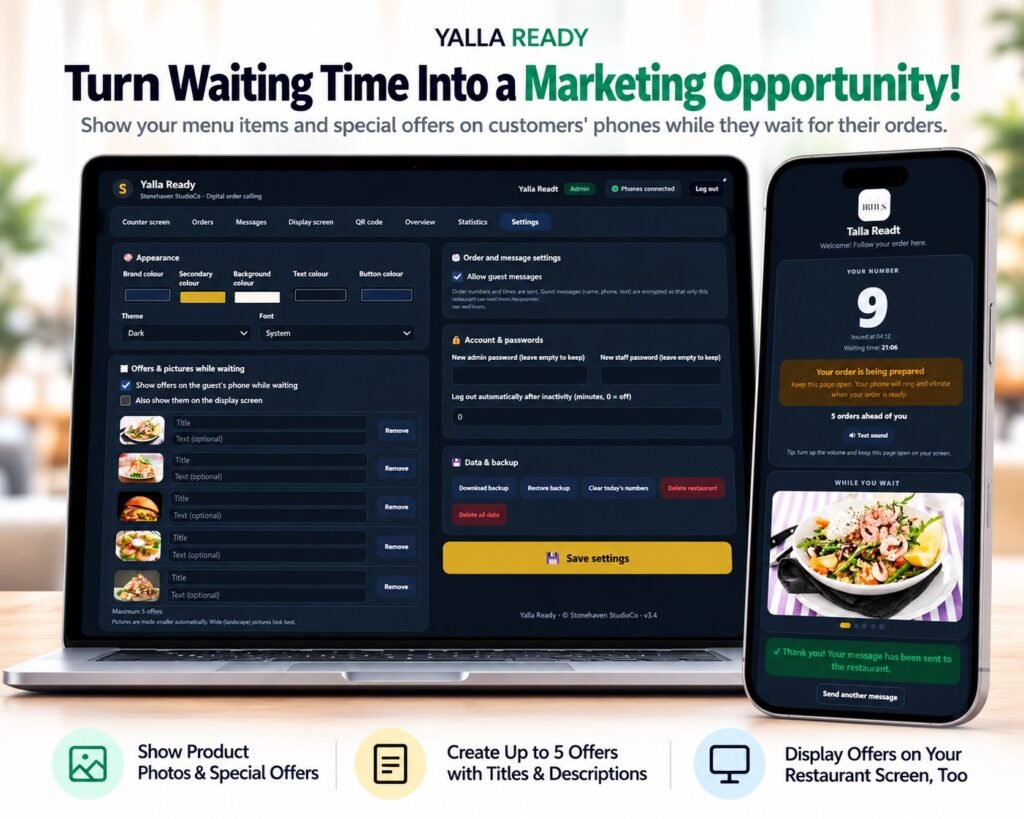
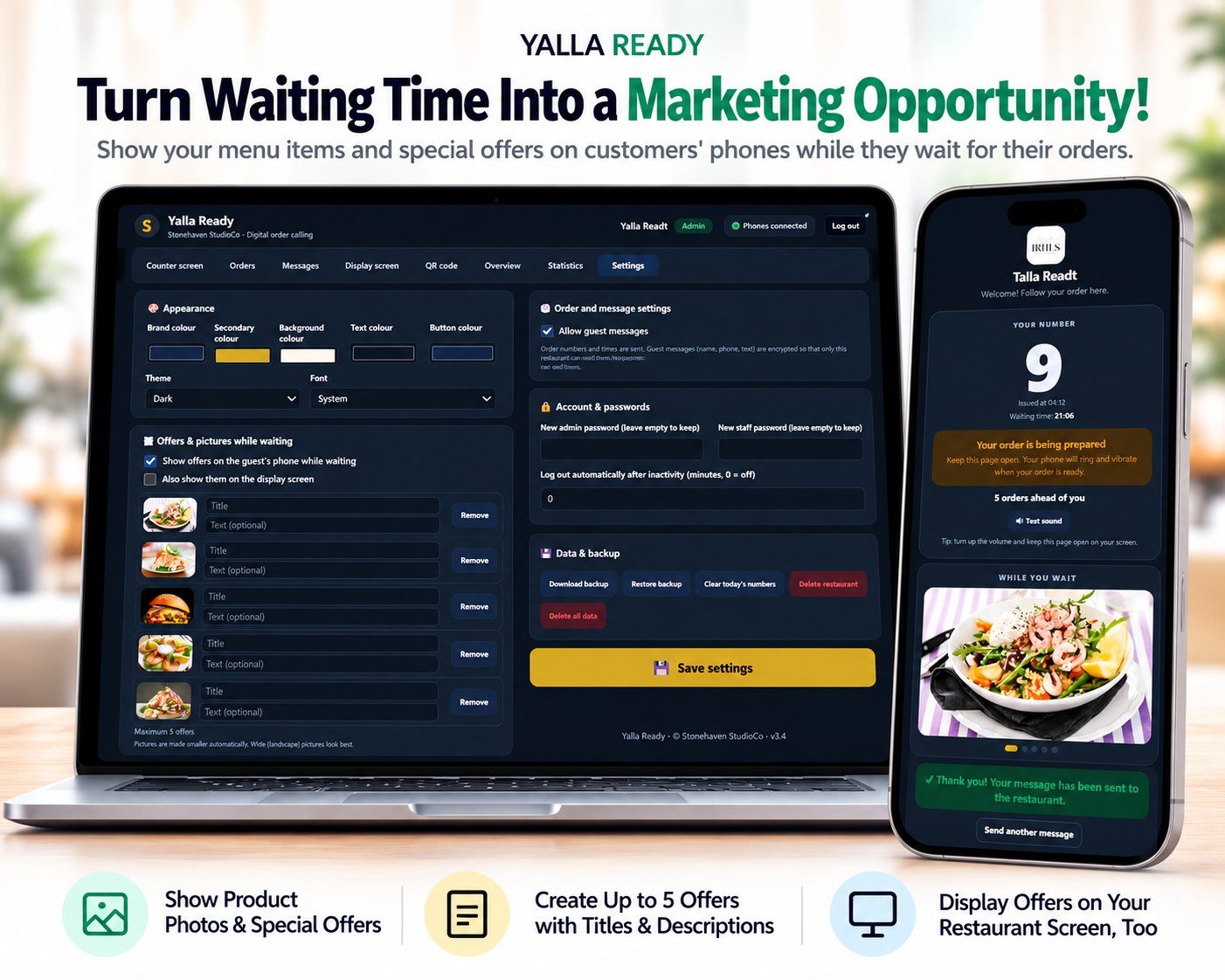
Turn waiting time into sales
Show up to 5 offers or menu pictures with titles on the guest’s phone while they wait – and optionally on your display screen too.
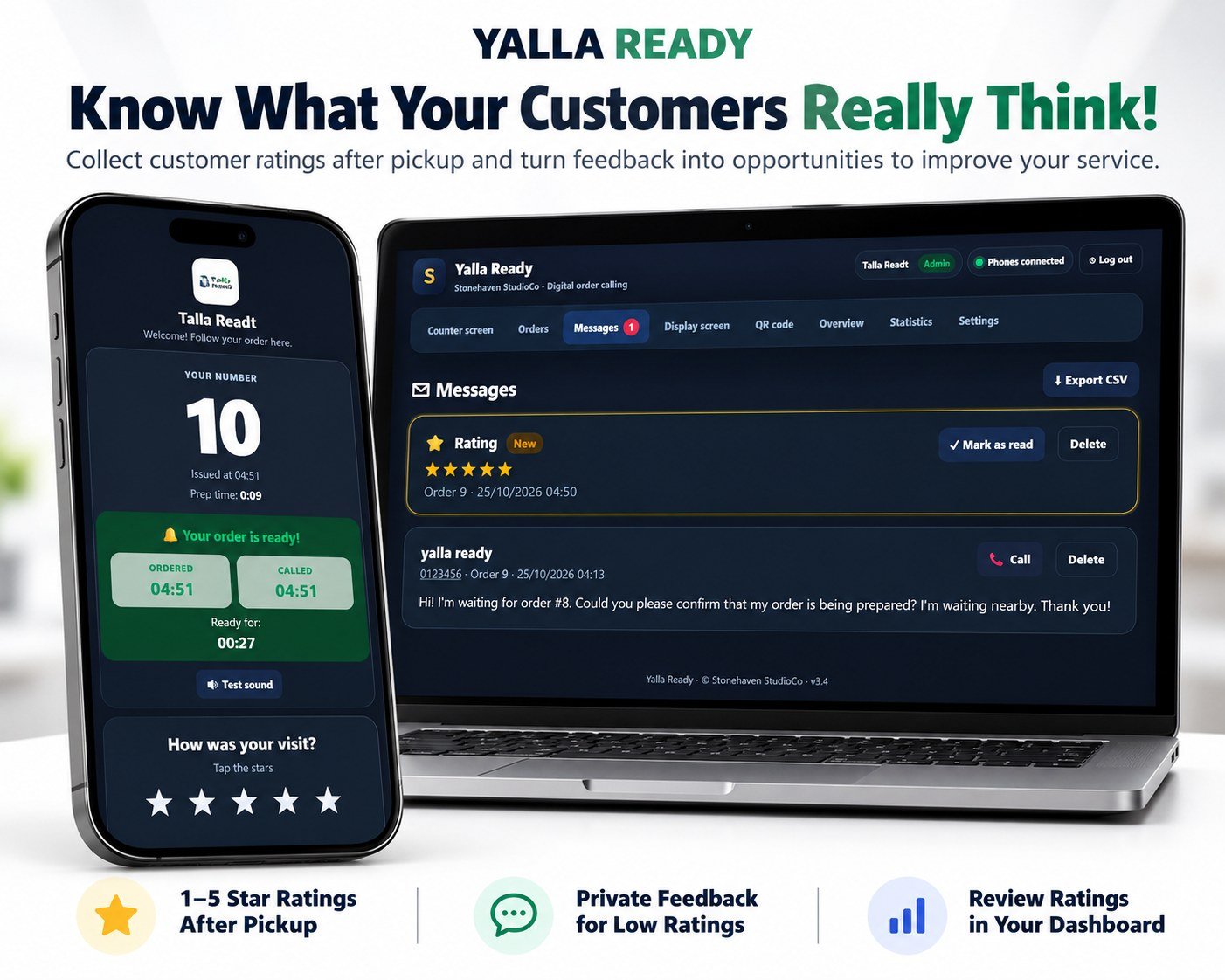
More 5-star reviews
After pickup, guests rate their visit from 1 to 5 stars. 4–5 stars get a button to your Google reviews page. Lower ratings stay private as feedback for you only.
Your restaurant, your brand
Your logo at the top of the guest page, your brand colours, light or dark theme and your choice of font.
5 languages
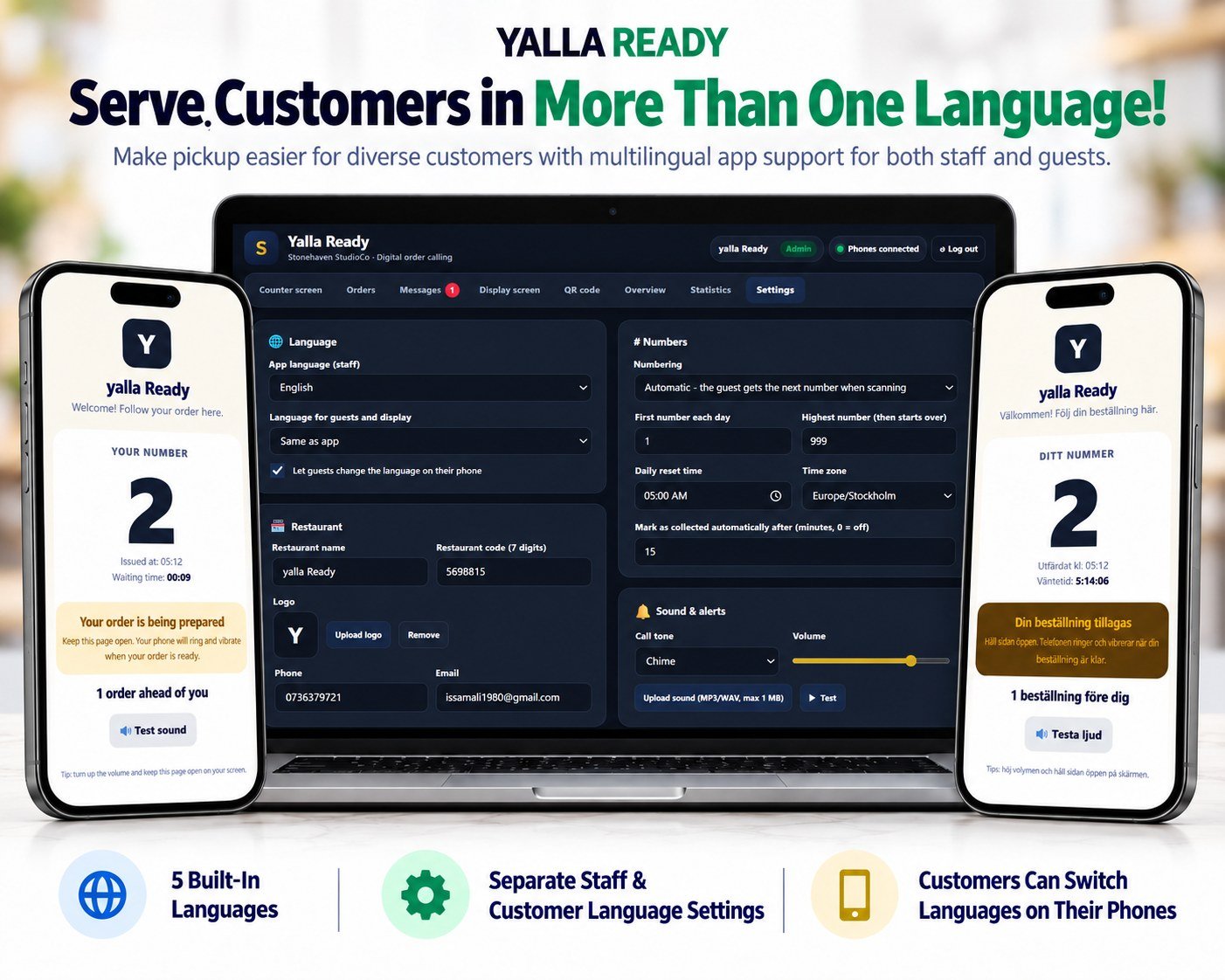
English, Arabic (العربية), Swedish, Danish and Norwegian. Choose separate languages for staff and for guests, and let guests switch the language on their own phone.
Why switch to a digital restaurant pager system?
Traditional pager devices cost money up front, need charging every night, break when they are dropped and disappear when guests take them home by mistake. During a rush you can run out of them completely. Shouting order numbers is free, but it is noisy, guests miss their number, and food goes cold on the counter. A digital restaurant pager system solves both problems at once: every guest already carries a phone, so you never run out, nothing needs charging, and nothing can be lost.
Because the restaurant pager system runs in the browser, there is nothing for guests to install and no account to create. They simply scan the QR code at the counter or on the receipt, and their personal number page opens instantly. Staff manage everything from one screen on a computer, tablet or phone.
How the restaurant pager system works during a busy shift
1. The guest orders and scans. After paying, the guest scans the QR code. The next number appears on their phone and on your counter screen at the same time. Every scan creates a new number, so the queue stays in order automatically.
2. The kitchen prepares. The Preparing list shows every open order with the time it was issued and how long the guest has been waiting. Long waits stand out, so the team knows what to prioritise.
3. You press Call. When the order is ready, staff press Ready or Call. The guest’s phone rings, vibrates and shows that the order is ready, with the order time and the call time. If the guest does not come, press Call again. When the order is picked up, mark it Collected.
4. The display screen keeps everyone informed. On a TV or second monitor, show the Preparing and Ready numbers in large type. Guests can relax, sit down and look up when their number moves to Ready.
More than a pager: marketing and reviews
While guests wait, the restaurant pager system can show up to five offers or menu pictures on their phone, such as a dessert, a drink upgrade or a weekly special. It turns waiting time into extra sales. After pickup, guests can rate their visit from one to five stars. Happy guests are invited to leave a public review, while lower ratings stay private so you can fix the problem without hurting your public rating.
Statistics that help you run a faster kitchen
See orders per hour, average preparation time, average pickup time, the longest wait of the day, ratings and speed per section or staff member. Export everything to CSV. Over time, the restaurant pager system shows you exactly when you need extra staff and which steps slow you down.
Your brand, your languages
Add your logo, set your brand colours, choose a light or dark theme and pick your font, so the guest page looks like part of your restaurant. Staff and guests can use different languages: English, Arabic, Swedish, Danish or Norwegian. That makes this restaurant pager system a great fit for international cities and tourist areas.
What makes a good restaurant pager system?
When you compare options, look at five things. First, the guest experience: guests should not need to download an app or create an account, because every extra step means fewer people use it. Second, reliability: the alert must be clear and loud, with vibration and a visible message. Third, the staff screen: it should be simple enough for a new employee to use on the first day, with big buttons for Ready, Call again and Collected. Fourth, cost: monthly fees add up quickly, especially for small restaurants and food trucks, so a one-time purchase is a big advantage. Fifth, extras that grow your business, such as offers while guests wait, private feedback and statistics.
Yalla Ready was designed around exactly these points. It is a restaurant pager system built by people who understand small food businesses: quick to set up, easy for staff, friendly for guests and affordable for the owner. It runs on the devices you already have and it looks like your brand, not like a generic tool.
From buzzers to phones: what changes for your team
Your team no longer needs to hand out, collect, clean and charge devices. They no longer need to raise their voice over the music and the kitchen. Instead, they focus on preparing food and serving guests. New staff learn the restaurant pager system in a few minutes, because every action is one tap. Managers get the numbers they need without extra paperwork. And guests feel respected: they can sit down, talk with friends or check their messages, knowing their phone will ring the moment their order is ready.
Many owners also notice a quieter, more pleasant atmosphere. Fewer people crowd the counter, the line moves faster and the space feels calmer. That alone can make guests more likely to come back, and the private ratings help you keep improving week after week.
Restaurant pager system vs buzzer devices
A set of physical buzzers usually costs a significant amount up front, plus replacements every year and the time spent charging and cleaning them. This restaurant pager system is a one-time purchase with no monthly fee and no hardware. You can start today with the devices you already own, and scale from a small food truck to a busy restaurant without buying anything extra.
A real example: one lunch rush with Yalla Ready
Imagine Omar, who runs a busy shawarma shop near an office district. Between twelve and two o’clock, sixty to eighty orders come in. He used to shout numbers over the noise of the grill, and guests crowded around the counter so they would not miss their call. Some orders went cold, some guests left annoyed, and the team was exhausted by two o’clock.
With the restaurant pager system, every guest scans the QR code after paying and sits down. The kitchen works from the Preparing list, sorted by waiting time. When a wrap is ready, the cashier taps Call and the guest’s phone rings at their table. The display screen on the wall shows Preparing and Ready numbers, so nobody needs to ask. While they wait, guests see a combo offer with a drink and fries, and a good share of them add it to their next order.
At the end of the week, Omar opens the statistics. He sees that average preparation time jumps after 12:40 and that one station is slower than the others. He moves one person to that station during the peak. Waiting times drop, ratings go up, and the counter is calm. The restaurant pager system paid for itself in the first week.
Tips to reduce waiting complaints
Tell guests how it works with a clear sign next to the QR code: scan, sit down, and we will call your phone. Ask guests to keep the page open with the sound on. Use the display screen so guests can see progress without asking. Watch the waiting-time column and handle the oldest orders first. Use offers on the waiting screen for items that are quick to prepare, so extra sales never slow down the kitchen. Finally, read the private feedback from low ratings every week; it is the fastest way to find small problems before they become big ones.
Is a digital restaurant pager system reliable?
Yes, as long as your restaurant device and your guests’ phones are connected to the internet. Alerts are sent the moment staff press Call, and the guest’s page rings, vibrates and shows a clear message. For the best results guests should keep the page open with sound on, which the page explains. Your data stays under your control: you can download a backup from Settings at any time and restore it on another device.
Because there is no hardware, there is nothing to break, nothing to charge and nothing to lose. If a staff device runs out of battery, simply open the restaurant pager system on another phone or tablet and continue where you left off.
Perfect for food trucks and pop-up events
Food trucks and market stalls have no room for a box of buzzers and often no power outlet to charge them. A phone-based restaurant pager system is ideal here. Stick the QR code on the side of the truck or the counter, open the staff screen on a phone or tablet, and you are ready. Guests can wander around the market, sit on a bench or join a friend at another stall, and their phone will ring when their food is ready. No crowd in front of the window, no shouting over generators and music, and no lost devices at the end of a long festival day.
The same is true for pop-up events, catering stations, school fairs and sports clubs. Set it up in minutes on the morning of the event, and pack it away by simply closing the browser. Your settings, logo and statistics are saved, so the next event starts exactly where the last one ended. One purchase covers every location where you open the app, which makes this restaurant pager system one of the most flexible tools a mobile food business can own.
Getting started in ten minutes
Open the access link from the PDF you receive right after secure checkout. Add your restaurant name, logo and colours. Print the QR code poster and place it at the counter, or add it to your receipts. Open the display screen on a TV if you have one. That is it: your restaurant pager system is ready for the next guest.
Who uses this restaurant pager system
Fast-casual restaurants, burger and shawarma shops, coffee shops, bubble tea and juice bars, bakeries, food trucks, food courts, takeaway counters and event caterers. Any business that calls guests when an order is ready can replace shouting and buzzers with a calm, digital restaurant pager system.
Made for
Restaurants, cafés, fast food, food trucks, bakeries, juice bars, take-away counters, clinics and any business where customers wait for their turn.
What you receive
- A PDF with your personal access link to Yalla Ready and step-by-step setup instructions.
- Instant access after secure checkout.
- No physical pager devices are included – this is a digital system that uses your guests’ phones.
Requirements
- A computer, tablet or phone with a modern web browser for your restaurant.
- An internet connection (needed for communication between your device and your guests’ phones).
- Guests use their own smartphones – no app and no account needed.
Frequently asked questions
What happens if a guest’s phone is locked? Guests should keep the page open with the sound on. The page tells them how to stay ready for the alert.
Can I use it in more than one section? Yes. Statistics can be viewed per section or staff member, and numbering can be customised in Settings.
Do I need special hardware? No. Any computer, tablet or phone with a modern browser works for staff, and a TV is optional for the display screen.
More tools for food businesses are in the Stonehaven StudioCo shop.
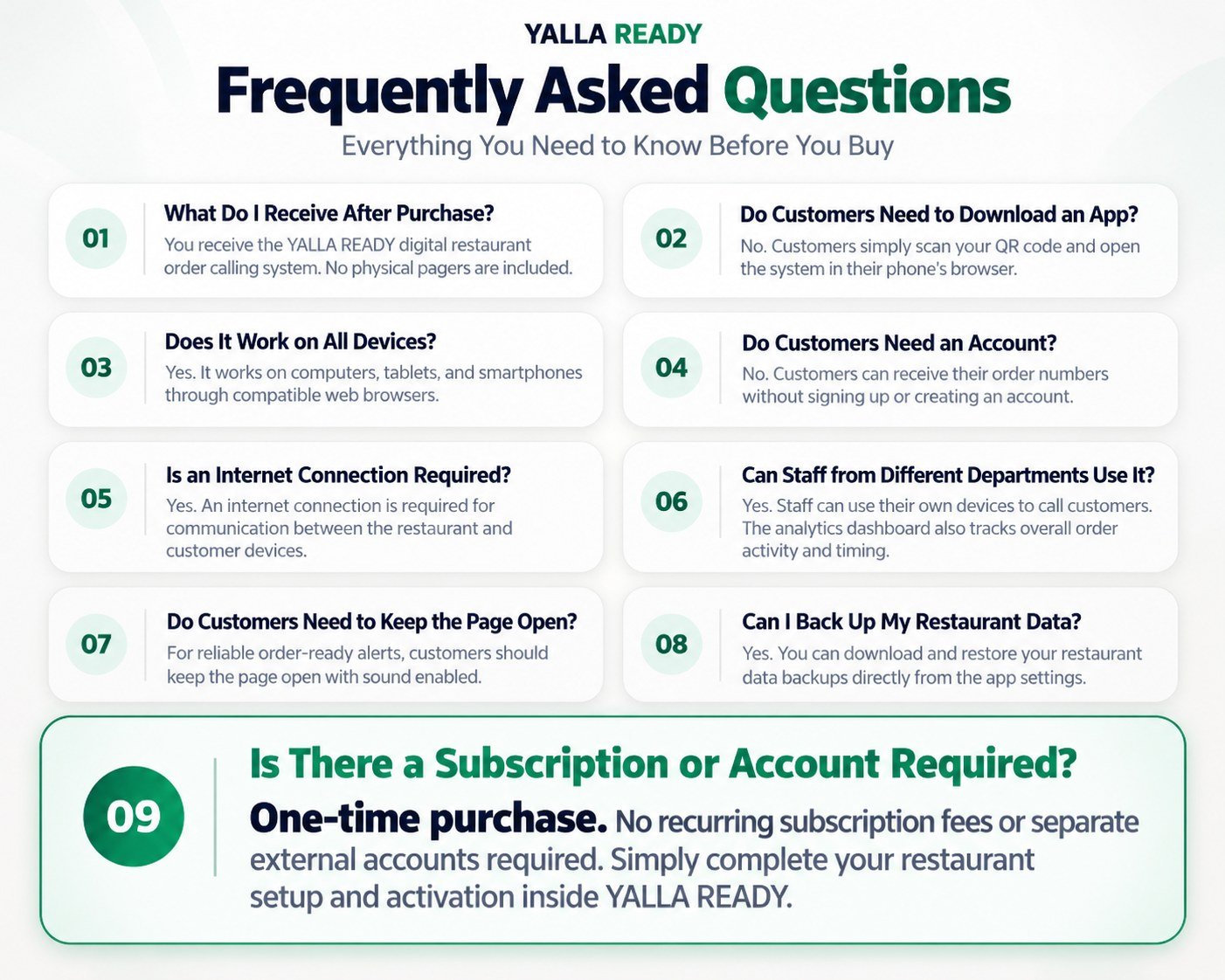
Do customers need to download an app?
No. They scan your QR code and the page opens in their phone’s browser.
Does it work on all devices?
Yes – computers, tablets and smartphones with a modern web browser.
Do customers need to keep the page open?
For reliable alerts, guests should keep the page open with the sound on.
Can I back up my restaurant data?
Yes. Download and restore backups from Settings.
Is there a subscription?
No. One-time purchase, no monthly fees.
Questions? Email support@stonehavenstudioco.com or use our contact page.


Reviews
There are no reviews yet.