



Description
The wedding planner app that keeps every guest, every dollar and every detail in one calm place — on both your phones.
Dozens of group chats. A spreadsheet only one of you understands. Invoices you cannot remember when to pay. Guests who still have not replied. And the same question every night: did we forget something? Most couples spend their engagement worrying instead of enjoying it. Your wedding should be the happiest day of your life, not the most stressful project of the year.
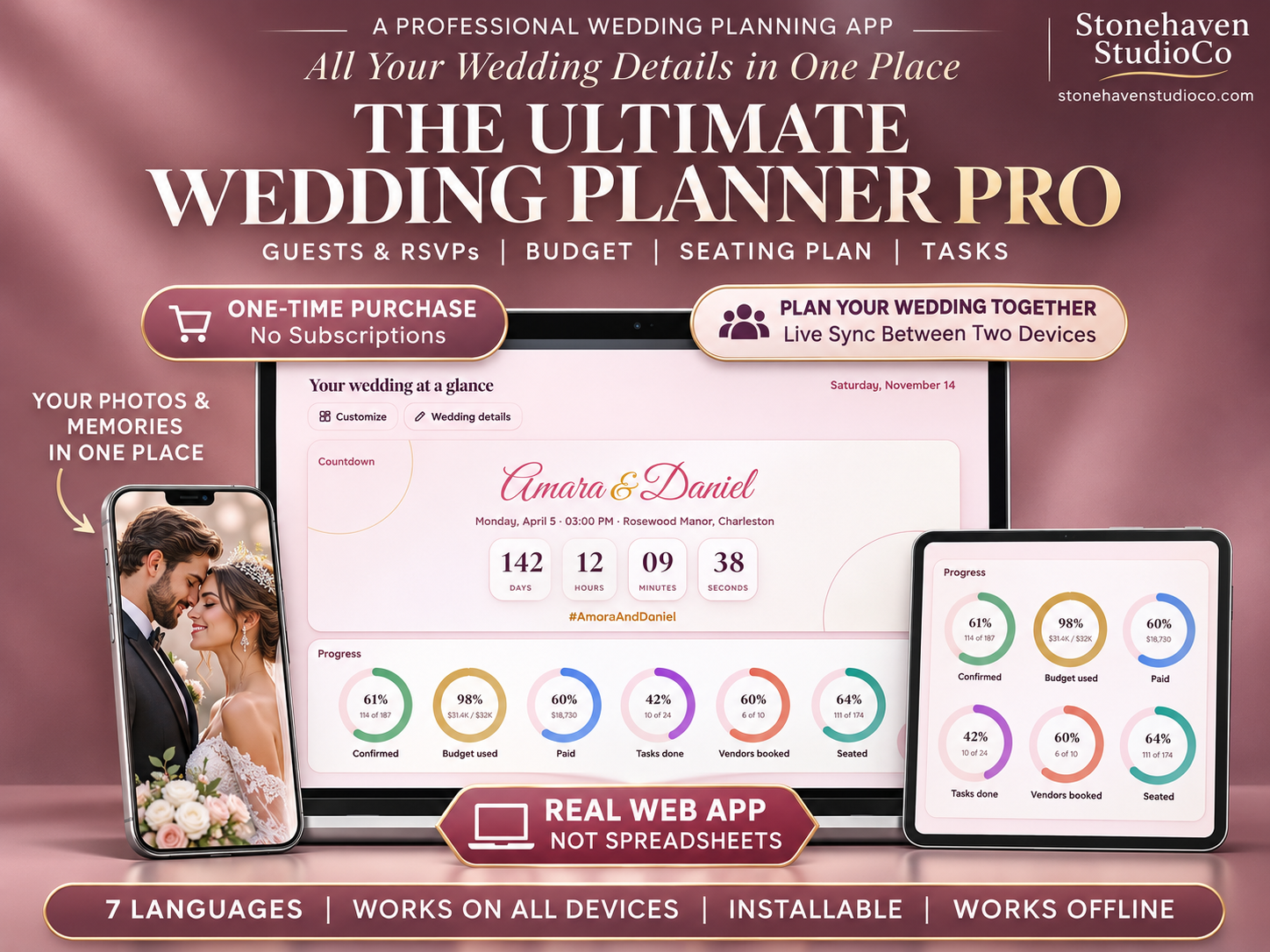
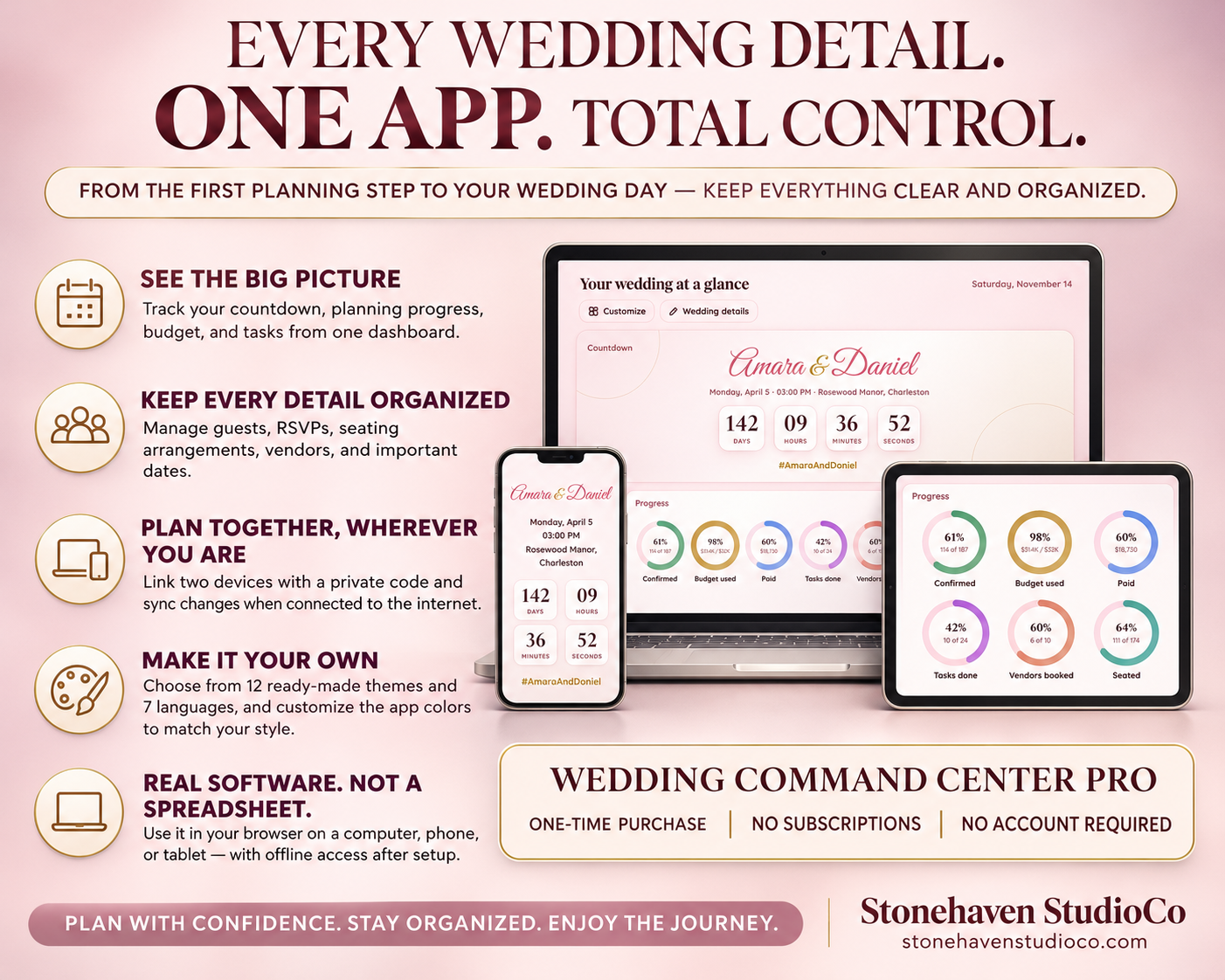
Wedding Command Center PRO is a real wedding planner app, not a spreadsheet template. Your budget, guest list, RSVPs, seating chart, vendors, payments, checklist and wedding-day timeline live in one beautiful app that works on your phone, tablet and computer, and syncs between the two of you with one private code.

▶ Try the free demo — no sign-up
Built for real wedding planning moments
✔ “Didn’t I tell you?” — Link your phones with one code. When one of you adds a guest or pays a vendor, the other sees it instantly.
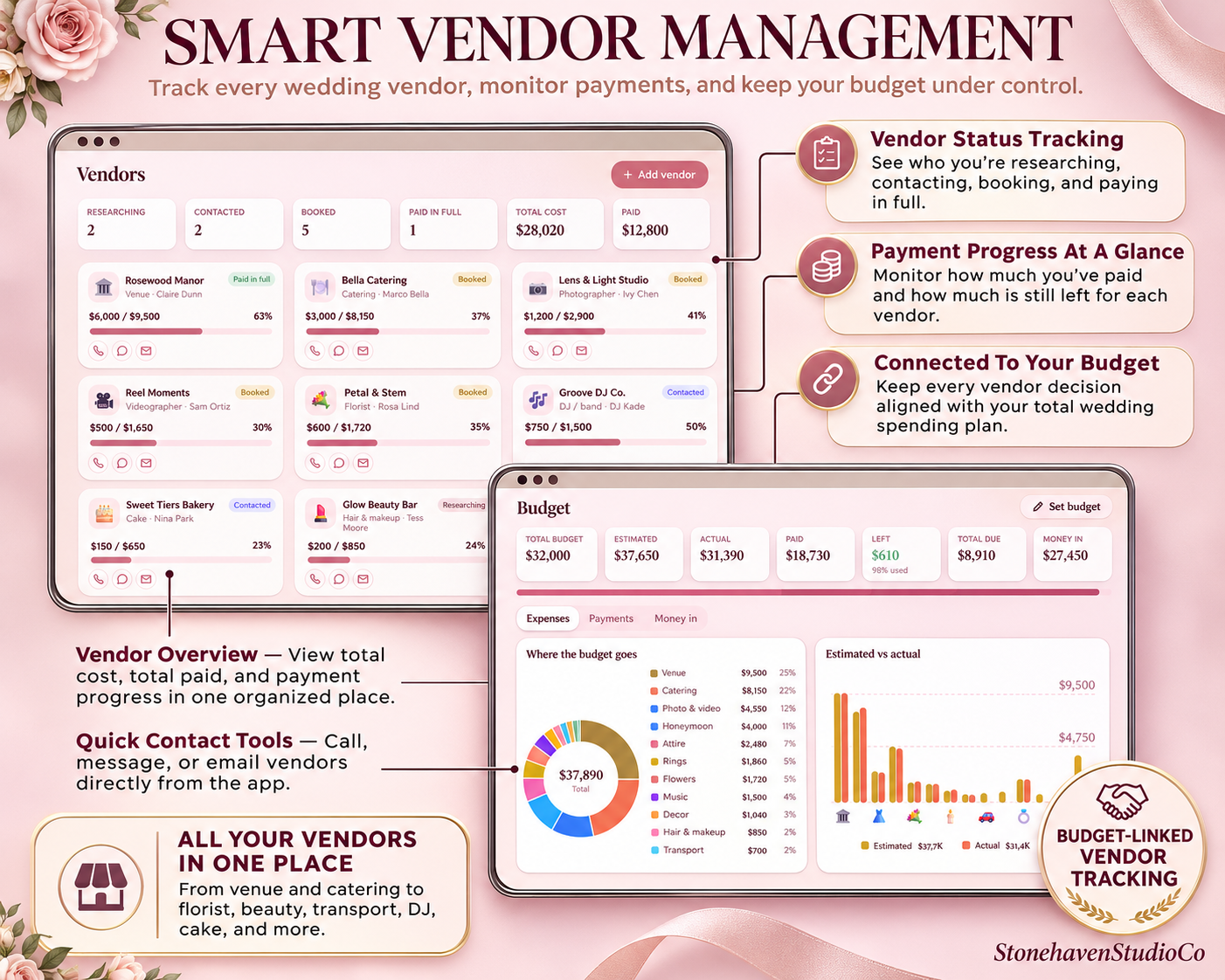
✔ “How much have we really spent?” — The budget updates itself: estimated, actual, paid and still due, with clear charts by category.
✔ “Who hasn’t replied yet?” — The RSVP tracker shows yes, maybe, pending and no, plus adults, kids and meal choices.
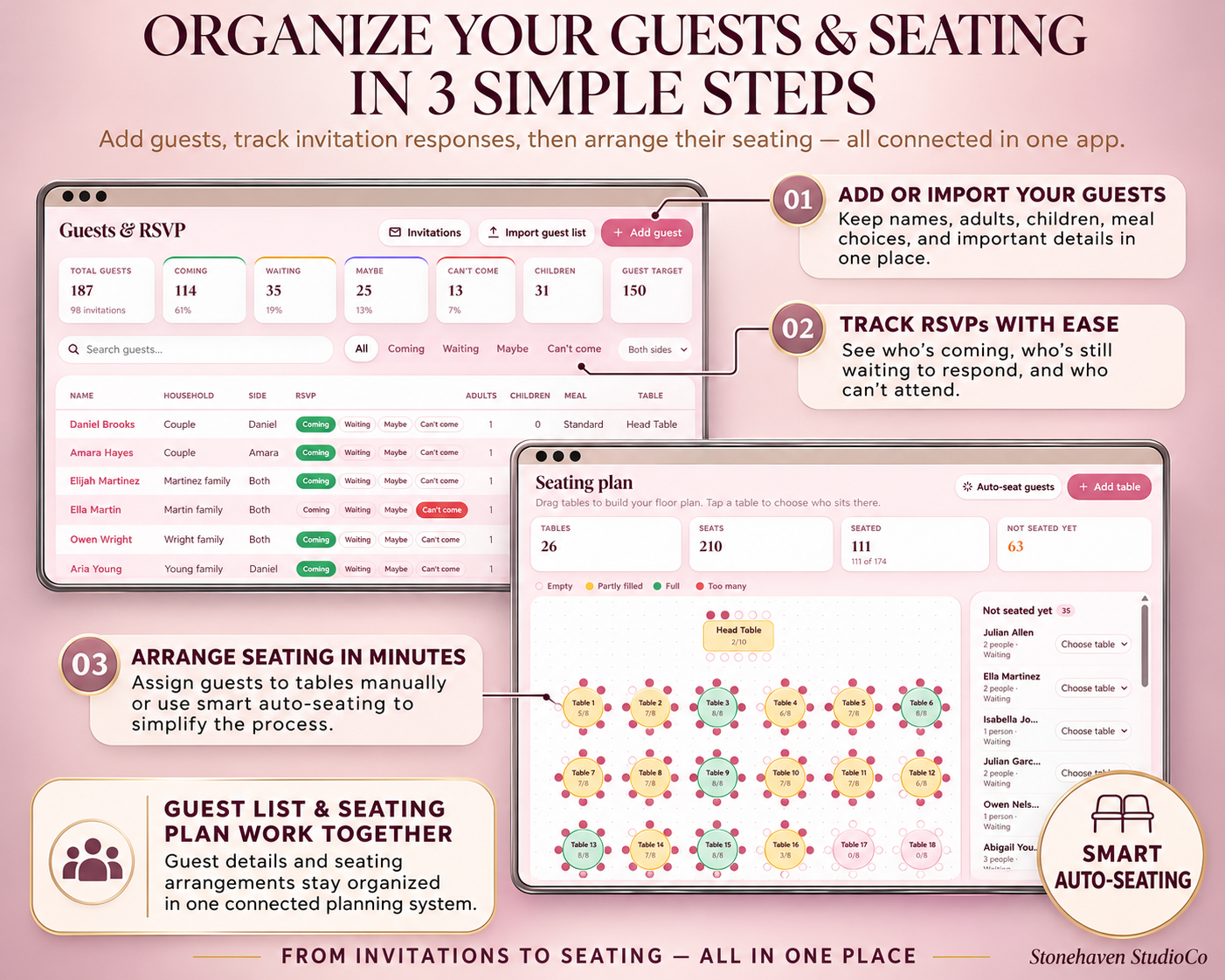
✔ “Where does Aunt Linda sit?” — Drag guests onto tables in the seating chart and see free seats at a glance.
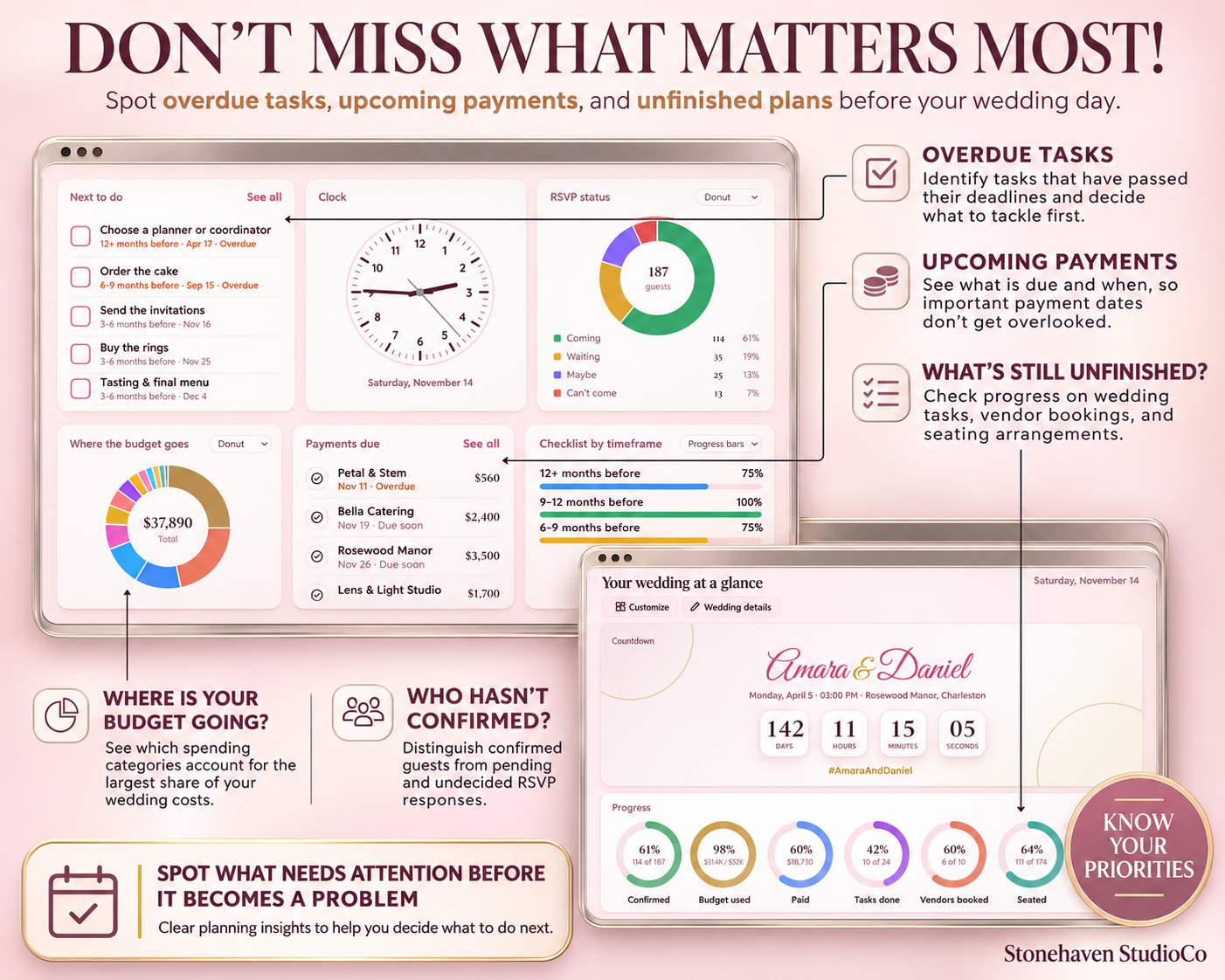
✔ “When is the florist balance due?” — Upcoming payments and overdue tasks appear on your dashboard before they become a problem.
Everything inside the wedding planner app
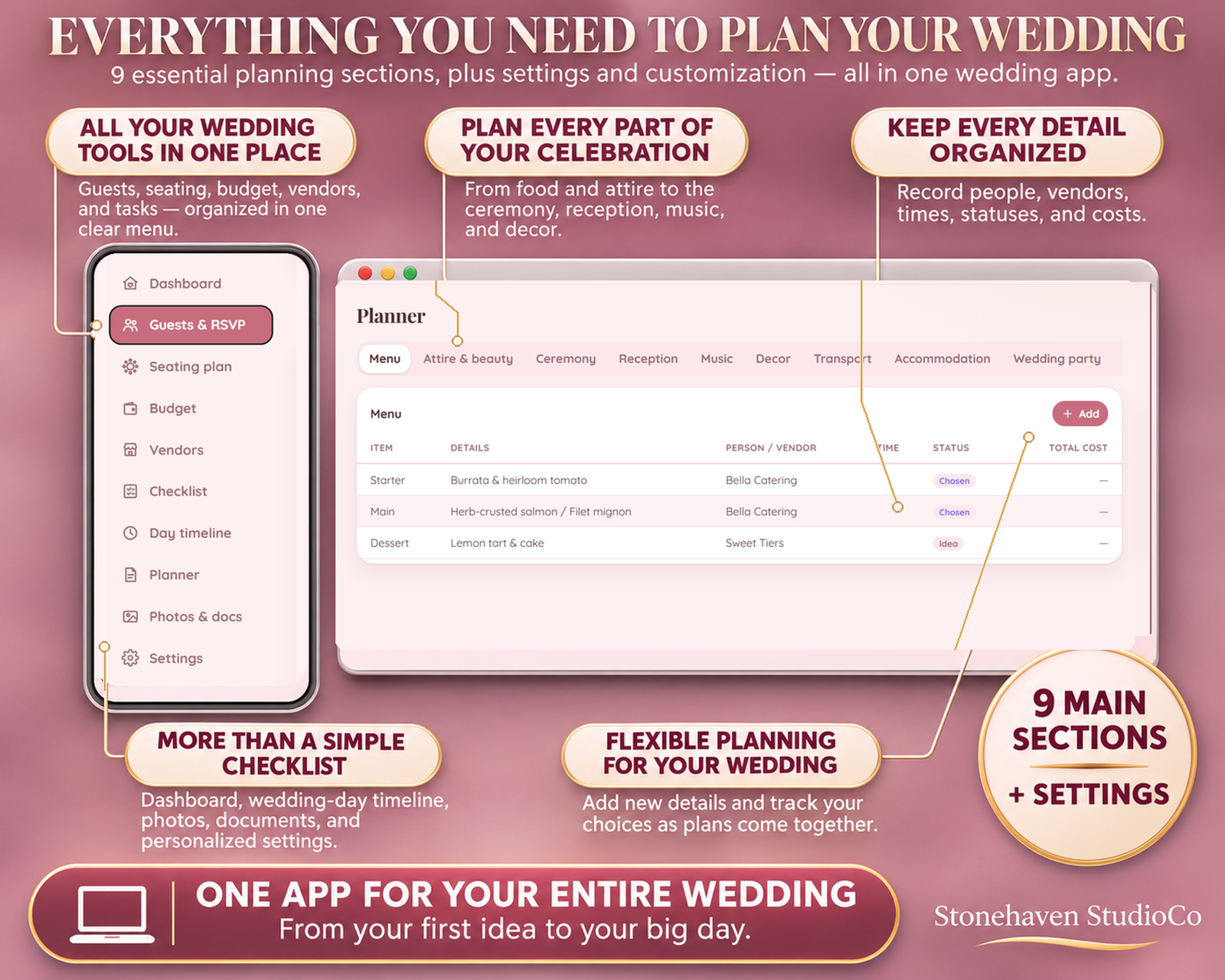
- Dashboard and countdown to your wedding day, with budget, guests and tasks at a glance
- Wedding budget planner with categories, estimates, actual costs, deposits and charts
- Payment schedule with due dates and paid / unpaid status
- Contributions from family, savings and gifts, so you know your real total
- Guest list tracker with households, sides, groups, RSVPs, adults, kids and meals
- Seating chart with round and long tables
- Vendor manager with contacts, status, cost and amount paid
- Checklist with 24 preloaded tasks from 12 months before to the big day
- Wedding-day timeline you can add to your phone calendar
- Planner for menu, attire, ceremony, reception, music, decor, transport and hotel
- Wedding party list, gift tracker with thank-you notes, and custom lists
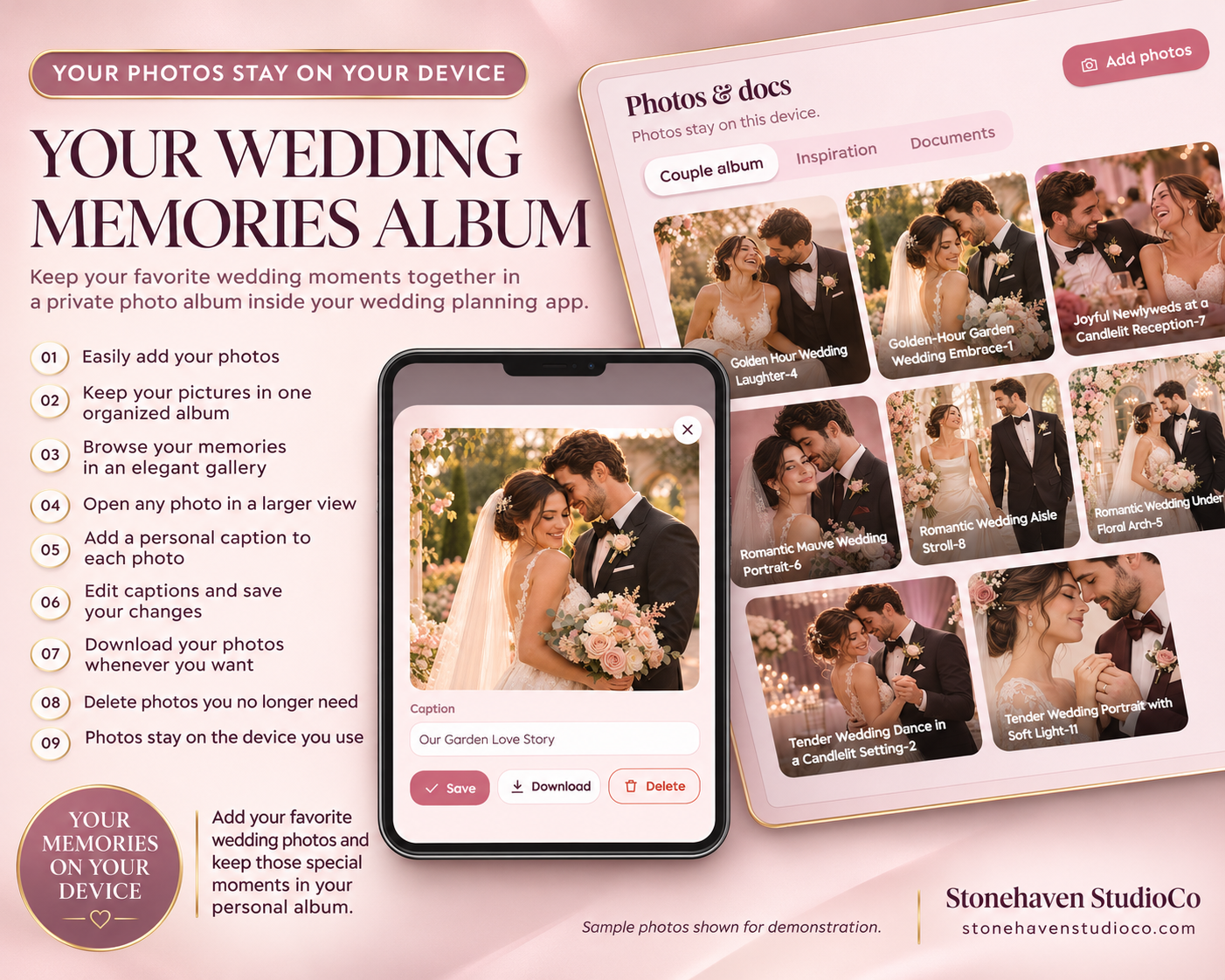
- Private photo album for inspiration and memories
- Reports you can print or save as PDF

Why couples choose it over spreadsheets and templates
| Spreadsheets | PDF templates | Wedding Command Center PRO | |
|---|---|---|---|
| Sync between both your phones | ✖ | ✖ | ✔ |
| Automatic budget totals and charts | ✔ | ✖ | ✔ |
| Guest list, RSVPs and seating chart in one place | ✖ | ✖ | ✔ |
| Payment due dates and reminders | ✖ | ✖ | ✔ |
| Countdown and wedding-day timeline | ✖ | ✖ | ✔ |
| Works offline and installs like an app | ✖ | ✖ | ✔ |
| 7 languages and 12 themes | ✖ | ✖ | ✔ |
| PIN and Face ID / fingerprint lock | ✖ | ✖ | ✔ |
Made to feel like you
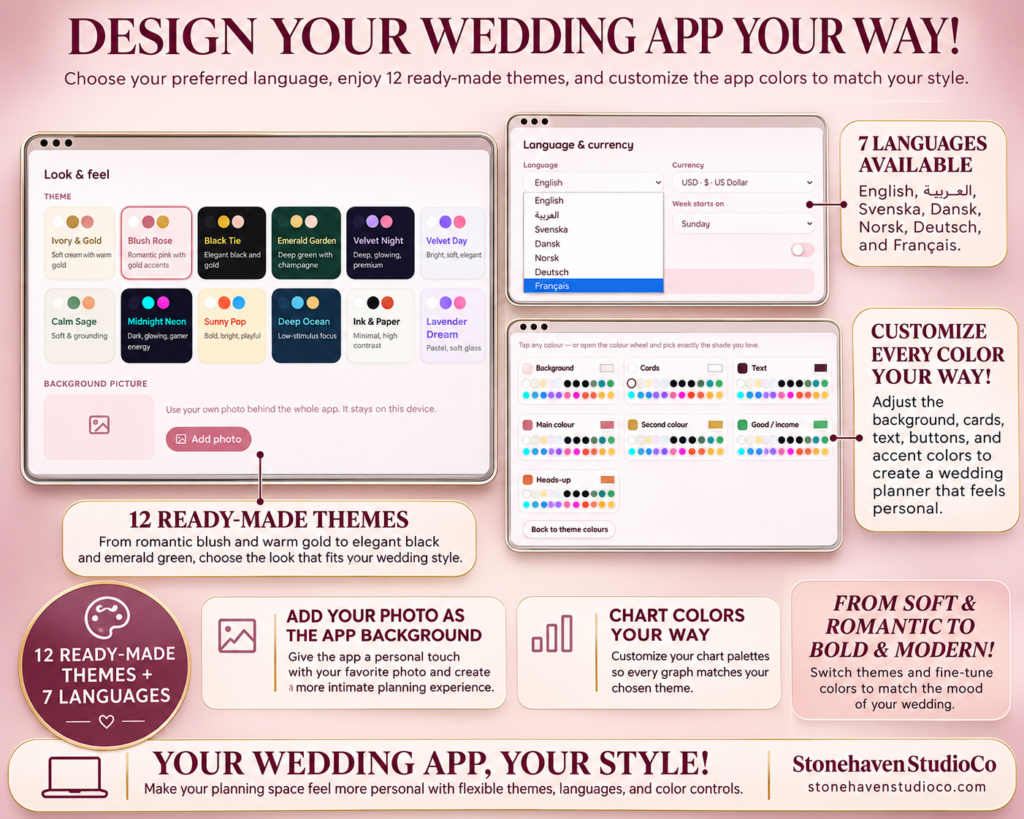
Choose from 12 ready-made themes, from soft and romantic blush to bold noir, change the colours and fonts, add your own photo as the background, and switch between seven languages: English, Arabic, Swedish, Danish, Norwegian, German and French. Lock your plan with a PIN or Face ID / fingerprint on supported devices.
Inside the wedding planner app: a complete walkthrough
Here is a full tour of every section of the wedding planner app, so you know exactly what you are getting before you buy. You can also open the free demo and click through the same screens with a sample wedding for Amara and Daniel already filled in: 98 guests, 26 tables, 15 budget categories and 10 vendors.
1. Home dashboard and live countdown
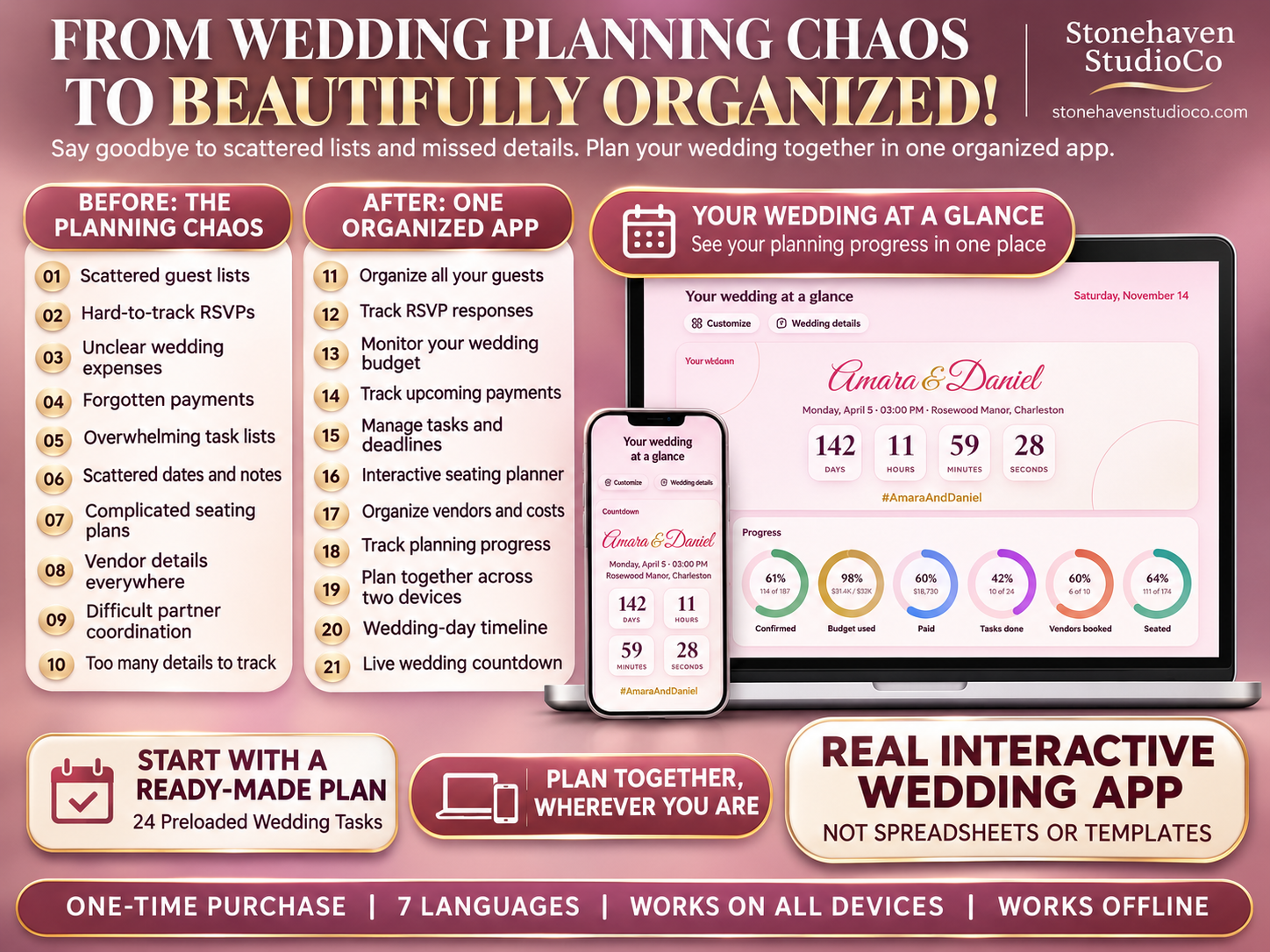
The home screen of the wedding planner app shows a live countdown to your wedding day in days, hours, minutes and seconds, your total budget and how much is spent, how many guests have confirmed, and the tasks and payments that need attention this week. One glance tells you whether everything is on track, so you stop searching through messages and notes to remember what is left.
2. Wedding budget planner
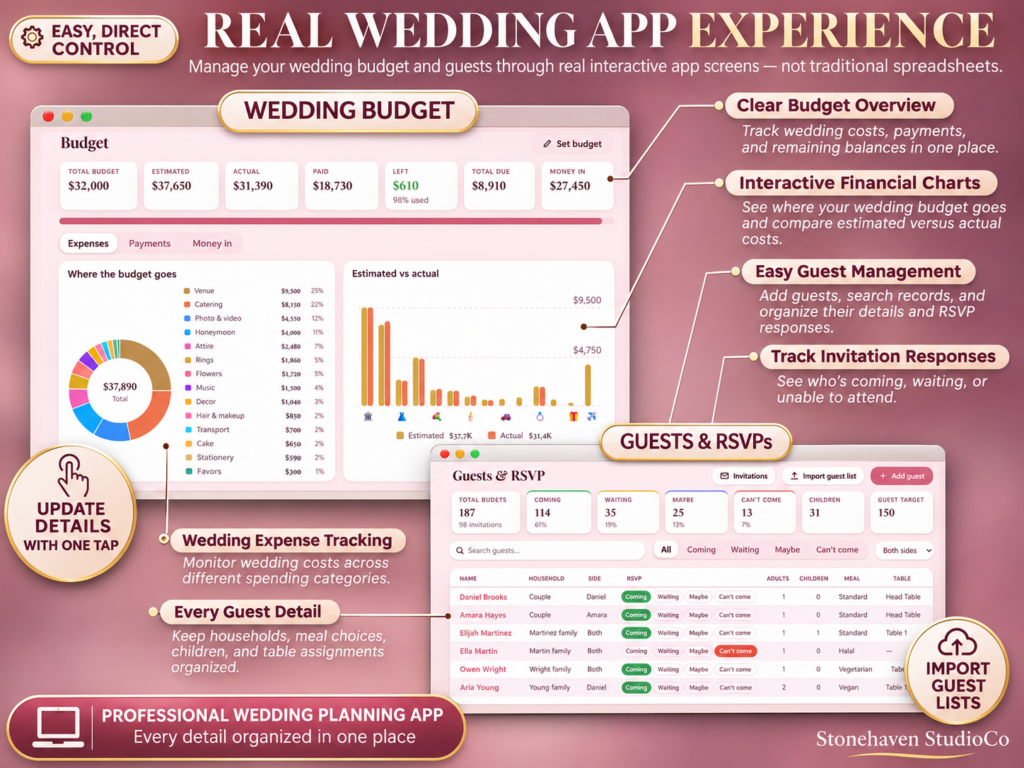
Set your total budget and add every expense: venue, catering, dress and suit, photographer, videographer, flowers, music, decor, stationery, transport, hair and makeup, rings, cake, favours and the honeymoon. For each line you enter the estimated cost, the actual cost and how much is already paid. The wedding planner app adds everything up automatically and draws clear charts, so you always know how much is left and where the money is going.
3. Payment schedule and contributions
Deposits and balances are easy to forget. Add each payment with the payee, amount, due date and payment method, then mark it as paid when it is done. Upcoming and overdue payments appear on your dashboard. You can also record contributions from parents, your own savings and engagement gifts, so the wedding planner app shows your real available budget, not just a target number.
4. Guest list tracker and RSVPs
Add guests one by one or as households. Save which side they are on, their group (family, friends, work), phone and email, how many adults and children are coming and their meal choice, including vegetarian, vegan, halal, gluten-free and kids meals. Mark every RSVP as yes, maybe, pending or no, and the wedding planner app updates the headcount for the caterer instantly.
5. Seating chart
Create round and long tables, give them names and seat counts, and assign each confirmed guest to a table. The seating chart shows which tables are full and how many seats are still free, so you can finish the seating plan in an evening instead of a week. Everything is linked to the guest list, so when a guest changes their RSVP, the seating chart stays accurate.

6. Vendor manager
Keep every venue, caterer, photographer, florist, DJ, baker, beauty team, transport company and officiant in one list with the contact person, phone, email, status, total cost and amount paid. The wedding planner app shows which vendors you are still researching, which ones you contacted, and which are booked or fully paid.
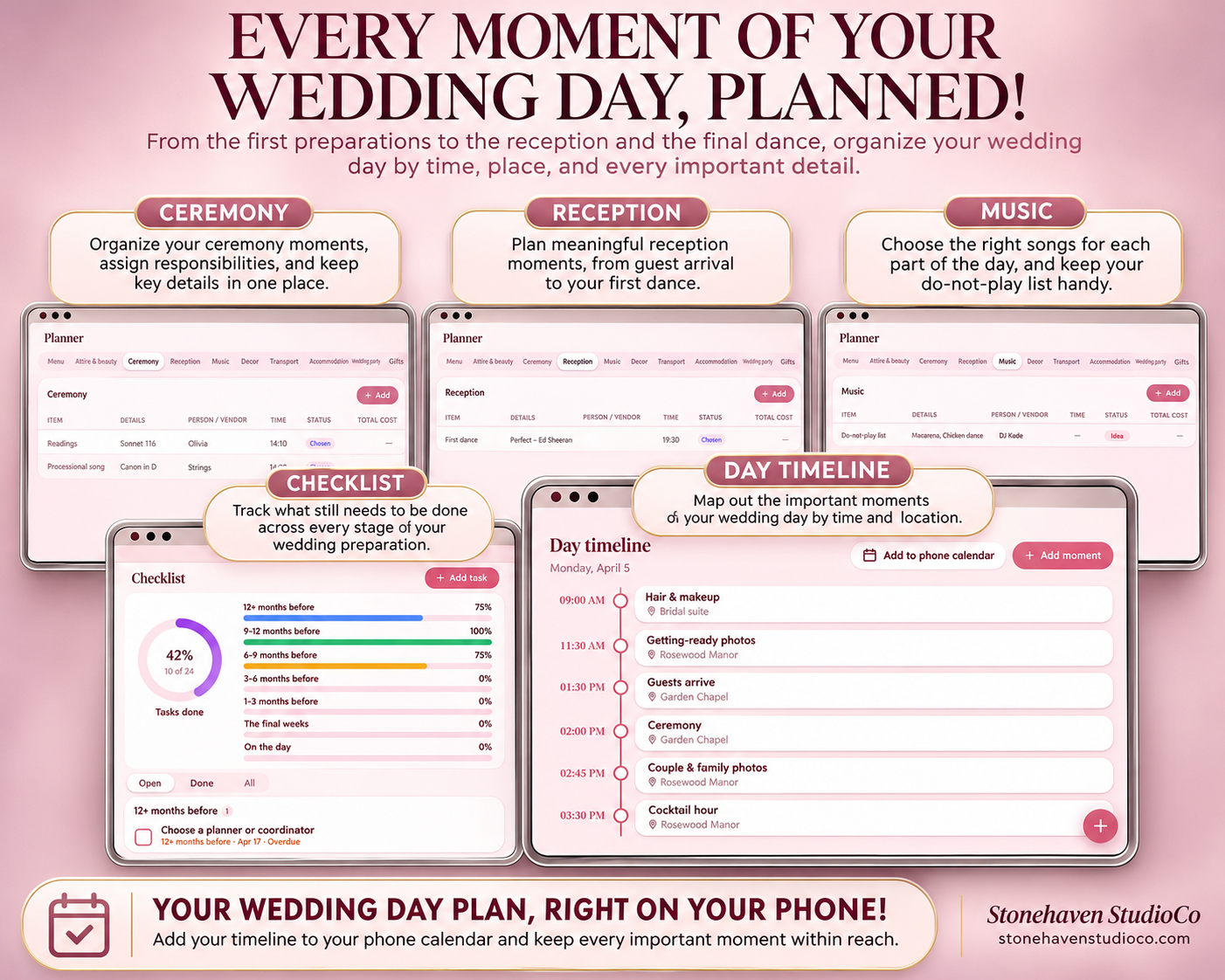
7. Wedding checklist with 24 preloaded tasks
The checklist comes ready with 24 essential wedding tasks, organised from twelve months before the wedding down to the big day itself. Every task has a due date calculated from your wedding date. Tick tasks off as you go, add your own, and watch the progress bar fill up. Overdue tasks are highlighted so nothing slips through the cracks.
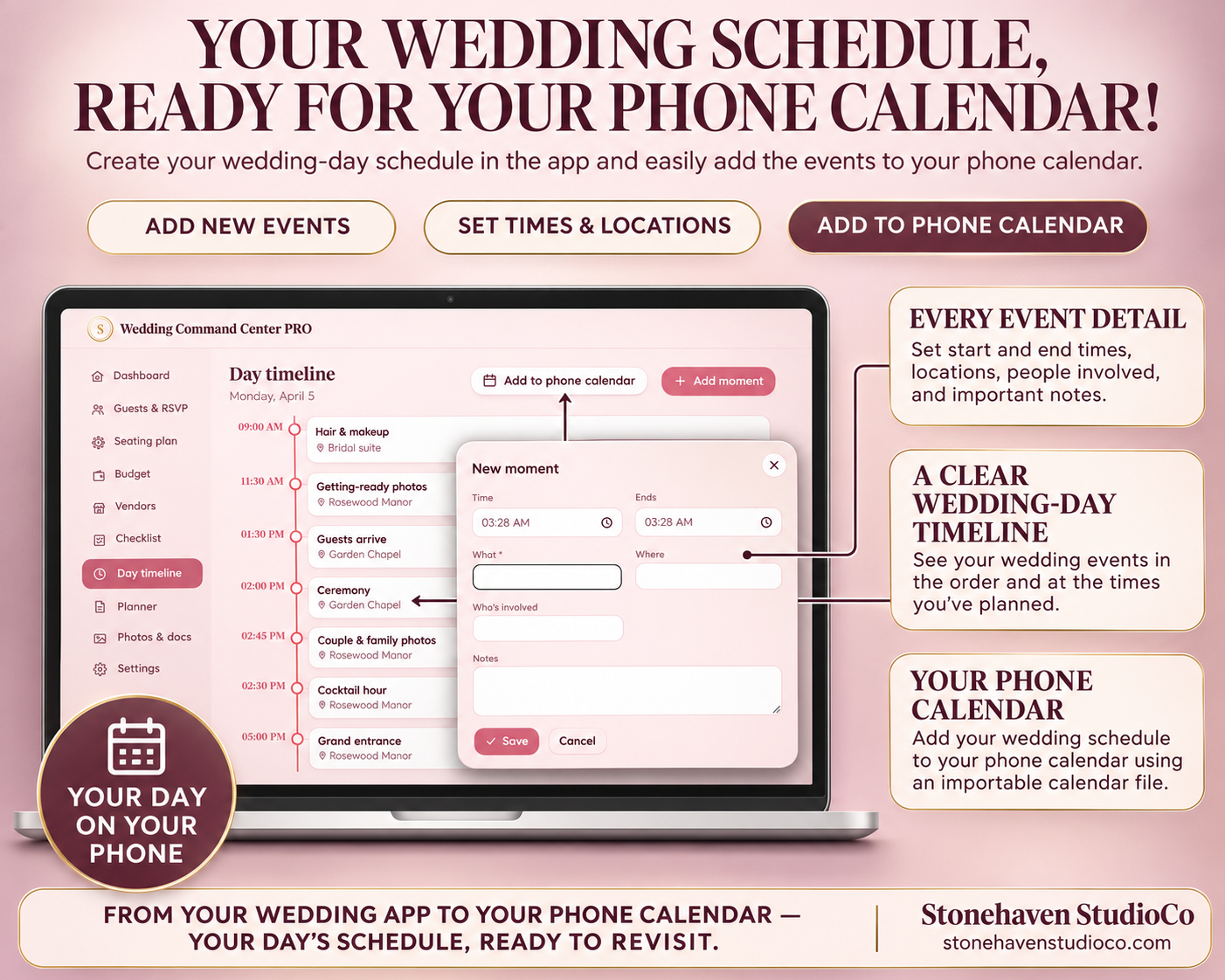
8. Wedding-day timeline
Build the schedule for the day itself: hair and makeup, first look, arrival, ceremony, photos, cocktail hour, dinner, speeches, first dance and send-off, each with a time and a place. Add the events to your phone calendar with one tap, and share the plan with your coordinator and wedding party so everyone knows where to be.

9. The planner: menu, attire, ceremony, music and more
A dedicated planning space keeps the details that usually get lost in notes: the menu courses, the dress and suit, readings and processional song, the first dance, the do-not-play list, centrepieces, the couple car and the hotel block for guests. Each item can have a person responsible, a time and a status from idea to chosen, ordered or ready.
10. Wedding party, gifts and thank-you notes
List your maid of honor, best man, bridesmaids, groomsmen, flower girl and coordinator with their phone numbers. After the wedding, the gift tracker records who gave what and lets you tick off each thank-you note, so no one is forgotten.
11. Lists and private photo album
Create any list you need, such as honeymoon packing or DIY projects. The private photo album keeps inspiration pictures and memories inside the wedding planner app on your own device.

12. Reports
The reports page summarises your budget, payments, guest list, RSVPs, seating, vendors and tasks. Print it or save it as a PDF to share with family or your venue.
13. Sync between two phones
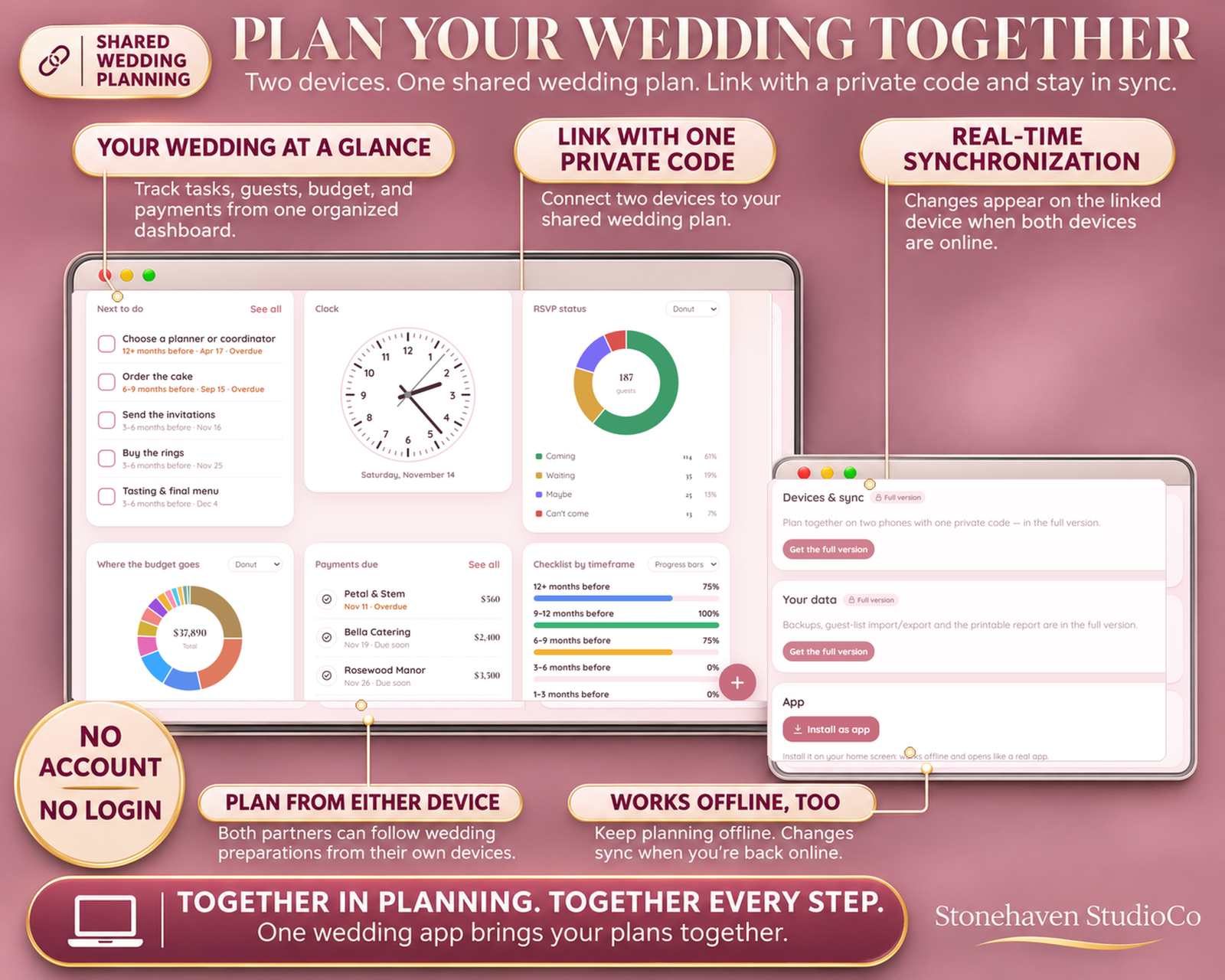
Planning a wedding is teamwork. Create a private pairing code or scan the QR code, and the wedding planner app keeps both your phones in sync. When your partner adds a guest or marks a payment as paid, you see it too. Your data is encrypted with your code and is never shared with anyone else.

14. Settings, themes, languages and privacy
Make the app feel like yours with 12 themes, custom colours and fonts and your own background photo. Switch between seven languages at any time. Protect your plan with a PIN code or Face ID and fingerprint on supported devices. Back up your data whenever you like.
A real example: one wedding, planned in one place
Imagine Amara and Daniel, getting married at a manor house in Charleston in five months. Before the app, Amara kept the guest list in a spreadsheet, Daniel kept vendor quotes in his email, and both of them had notes about payments in different apps. Nobody knew the real total, and every conversation about the wedding started with “wait, did we book that?”
With the wedding planner app, they enter the date, the venue and a budget of 32,000. They add 98 guests as households and send the invitations. As RSVPs come in, the headcount updates and the caterer gets an exact number with meal choices. They add the venue, catering, photographer, florist and DJ as vendors, with every deposit and balance in the payment schedule. The dashboard warns them that the florist balance is due in two weeks, and they pay it on time.
Daniel builds the seating chart on his laptop while Amara adds the readings and the first dance to the planner on her phone. Because the app syncs, they always see the same plan. Three weeks before the wedding they print the report for the coordinator, add the day timeline to their calendars, and finally have time to enjoy being engaged.
Tips for stress-free wedding planning
Set the budget before you book anything, and track actual costs from the very first deposit. Collect RSVPs with a firm deadline and follow up with the pending guests a week before it. Plan the seating chart only after most RSVPs are in. Keep every due date in one place so late fees never surprise you. Share the planning: give each partner clear tasks and let the synced wedding planner app show who is doing what. Finally, protect a few evenings each month with no wedding talk at all. A good plan is what makes those evenings possible.
Designed for real life, not for a template
Most wedding templates assume you have time to learn formulas, fix broken cells and copy numbers between tabs. Real couples plan on the train, during a lunch break or late at night on the sofa. That is why the wedding planner app is built for the phone first: big buttons, clear totals, and every screen one tap away from the dashboard. When you sit down at your computer, the same plan opens there too, with more space for the seating chart and the reports.
Every number you enter flows through the whole app. Add a guest and the headcount, the meal totals and the seating chart all update. Mark a payment as paid and the budget, the charts and the dashboard reflect it immediately. This is the difference between a list of separate files and a connected wedding planner app that thinks with you, so you can make decisions with confidence instead of guessing.
How to start in five minutes
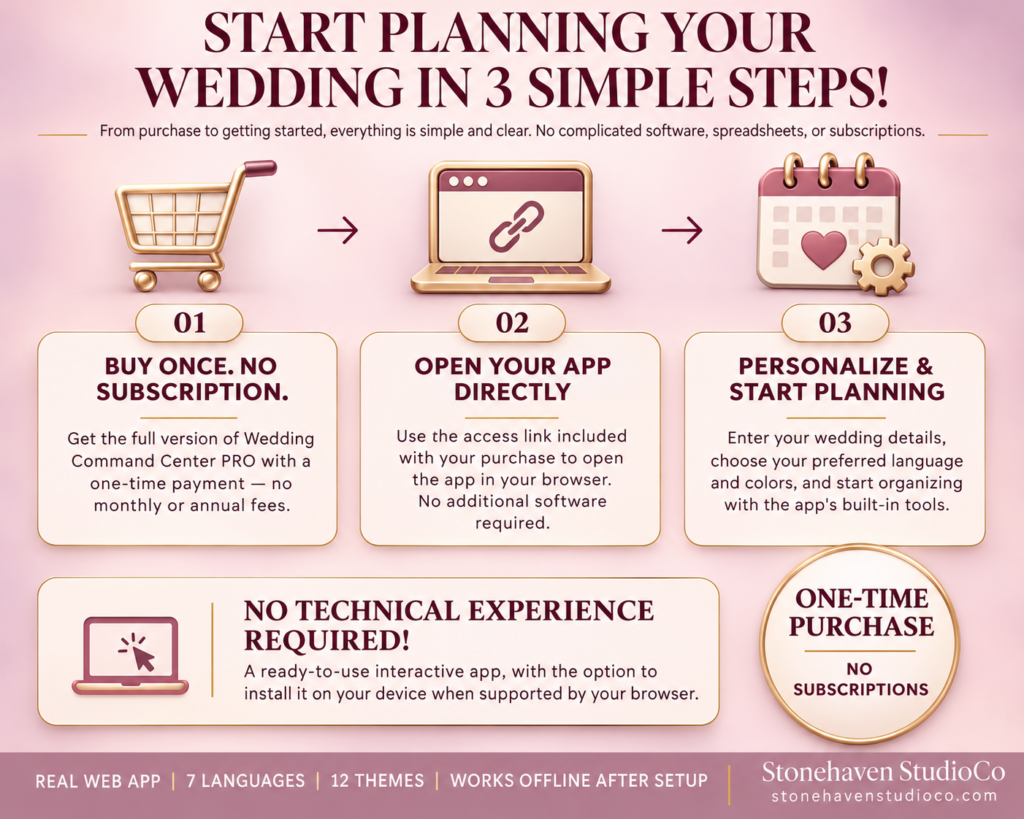
Step one: open the link you receive right after secure checkout. Step two: add the app to your home screen so it opens like a normal app, even offline. Step three: enter your names, the wedding date, the venue and your budget. Step four: create a pairing code and connect your partner’s phone. Step five: add your first guests and expenses. From that moment the wedding planner app keeps the totals, the headcount and the countdown up to date for you.
Who this wedding planner app is for
It is made for engaged couples who want to plan the wedding together without spreadsheets, for brides and grooms planning on their own, for parents helping with the budget, and for friends or family members who are organising a wedding as a coordinator. Small courthouse wedding or a 200-guest celebration, the wedding planner app scales to your plan.
What you get
✔ Instant access to the full Wedding Command Center PRO web app right after secure checkout
✔ A PDF access guide with your private app link
✔ Works on iPhone, Android, iPad, Mac and Windows, and installs to your home screen
✔ Sync between two devices with a private code or QR
✔ 7 languages and 12 themes
✔ One-time purchase, no subscription, no account needed
A thoughtful engagement gift
Looking for a gift for a newly engaged friend, a sister or a couple who just said yes? The wedding planner app is a practical engagement gift or bride-to-be gift that they will use every week until the big day.
Wedding planner app FAQ
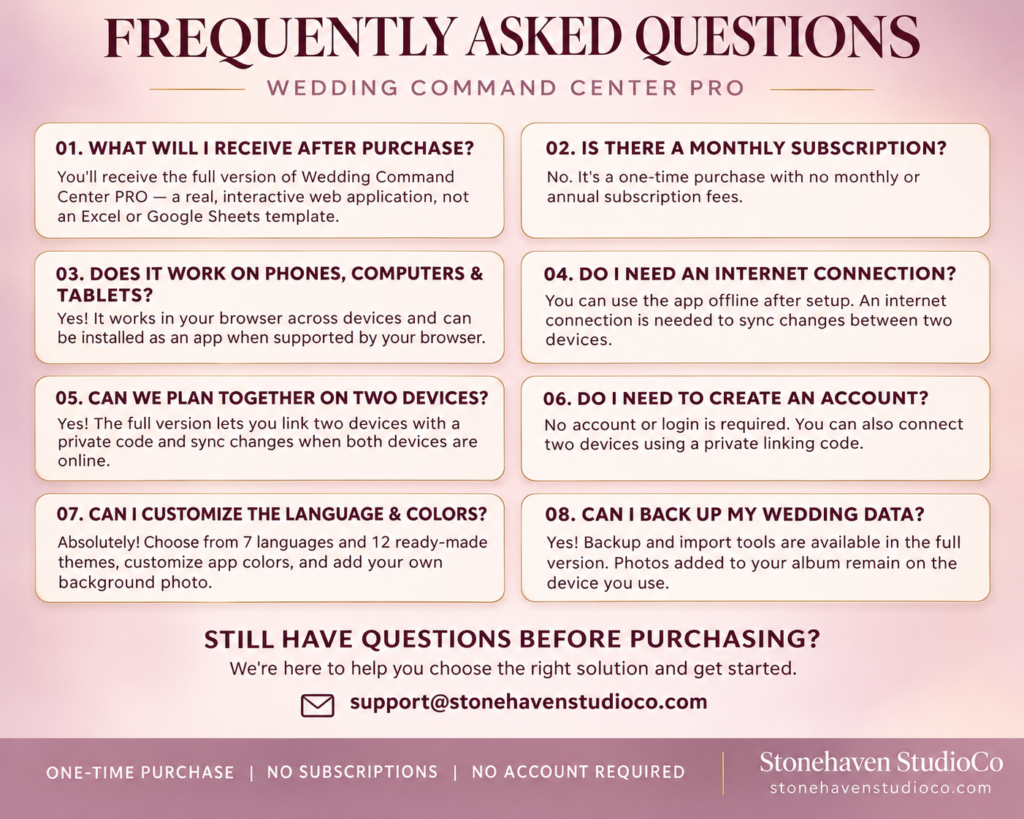
Is this a spreadsheet or a PDF template? No. It is a real wedding planner app that runs in your browser and installs to your home screen. Nothing to set up and no formulas to fix.
Can we plan together on two phones? Yes. Create a pairing code or scan the QR code and the plan syncs between two devices.
Does it work offline? Yes. After the first open, the app works without an internet connection. Sync happens when you are back online.
Do I need an account? No account and no login. Your data stays on your devices and is encrypted with your private code when you sync.
Is there a monthly fee? No. It is a one-time purchase with no subscription.
Can I change the language and the look? Yes. Choose from seven languages and 12 themes, and customise colours, fonts and the background photo.
Can I back up my wedding data? Yes. You can export a backup and restore it on any device at any time.
Why this wedding planner app beats spreadsheets
A spreadsheet cannot sync between two phones, remind you of a payment, count down to your day or draw your seating chart. This wedding planner app does all of that, and it works offline on your phone, tablet and laptop. If you want one place for the budget, the guest list, the seating chart, the vendors and the timeline, this is the wedding planner app built for you.
Planning more celebrations? Browse all Stonehaven StudioCo planners, including the Maid of Honor Planner for the bachelorette party and bridal shower.
Your wedding day will only happen once. Spend the months before it enjoying the journey together, not managing spreadsheets.


Reviews
There are no reviews yet.