
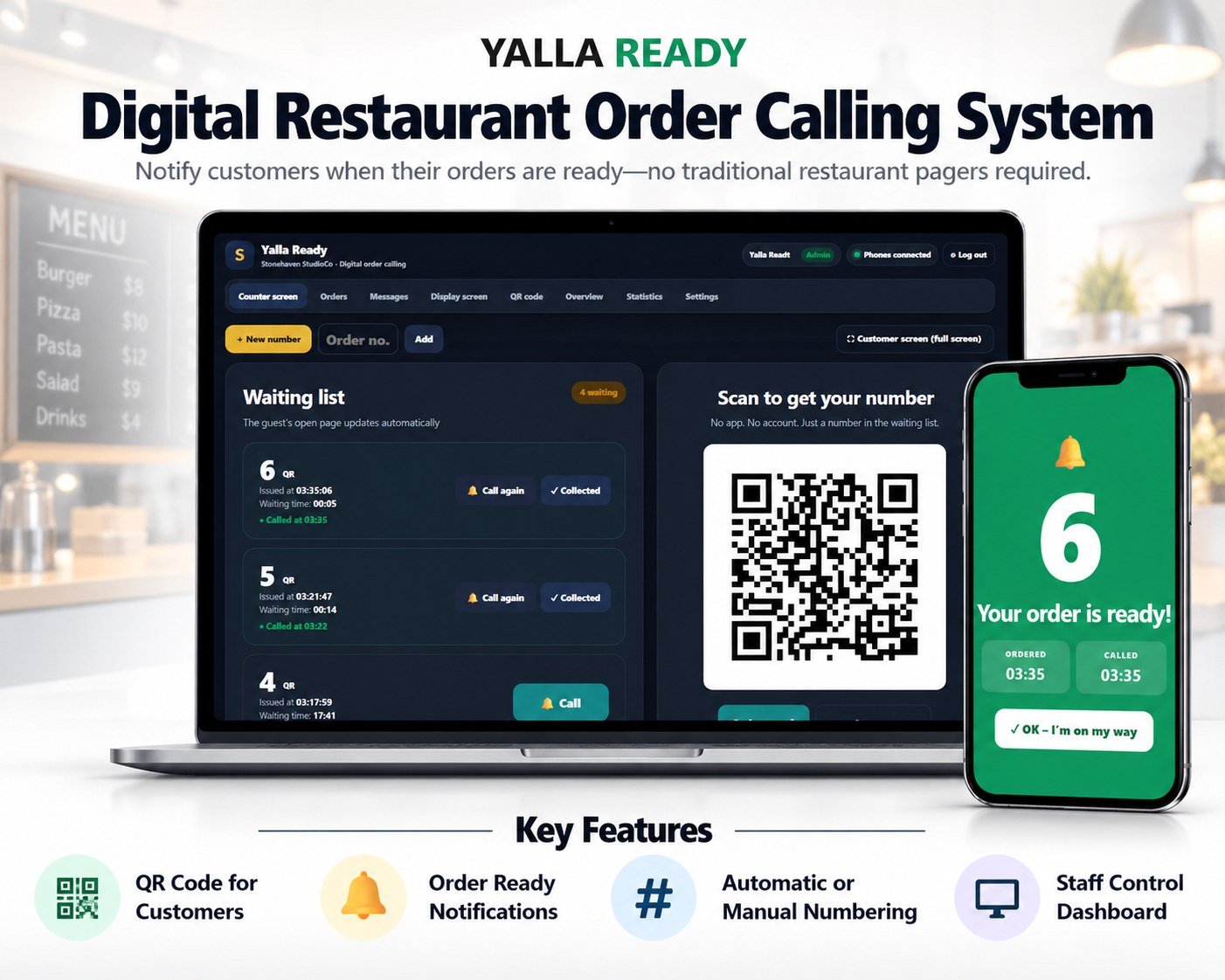
Restaurant pagers – the buzzing coasters you hand to customers – have been the standard for years. But they cost money up front, get lost or broken, run out at busy times and need charging and cleaning. Many restaurants, cafés and food trucks are now switching to a simpler option: using the customer’s own phone. Here is how a QR code order calling system works and what to look for.
The problems with traditional pagers
- Upfront cost: a set of pagers plus a charging base is a real investment for a small business.
- Losses and damage: pagers get dropped, taken home or stop working.
- Limited numbers: on a busy day you can simply run out.
- Hygiene: shared devices need regular cleaning.
- Limited range: customers have to stay close to the counter.
And without pagers, staff end up shouting numbers over noise and music.
How QR code order calling works
- The customer scans a QR code at the counter or on the receipt.
- A number appears on their phone instantly – no app download and no account.
- Staff press “Call” when the order is ready.
- The customer’s phone rings and vibrates and shows that the order is ready.
Customers already carry their phones, so there is nothing to hand out, collect or charge.
Benefits for your business
- No hardware to buy – it runs in the browser on a laptop, tablet or phone you already own.
- Unlimited numbers – every scan creates a new one.
- A calmer counter – no shouting, fewer customers crowding the pickup area.
- Marketing while they wait – show offers or menu pictures on the customer’s screen.
- Better feedback – ask for a quick rating after pickup.
What to look for in a pager alternative
- No app required for customers
- Works on any device with a modern browser
- A customer-facing screen or TV display for “Preparing” and “Ready” numbers
- Your own logo and colours on the customer page
- Support for the languages your customers speak
- Clear pricing – ideally a one-time purchase rather than a monthly fee
Things to keep in mind
A phone-based system needs an internet connection, and customers should keep the page open with sound on so they hear the alert. A small sign next to the QR code (“Scan, keep this page open, we’ll call you”) solves most questions.
Yalla Ready: a QR order calling system for restaurants and cafés
Yalla Ready turns your customers’ phones into order pagers. Customers scan, get their number instantly and their phone rings when the order is ready. It includes a counter screen, a TV display, offers while waiting, guest messages, ratings and statistics, in five languages including Arabic and English – with no pager devices and no monthly subscription.
Leave a Reply